When choosing an AI translation engine for X (Twitter) timelines, users often ask four practical questions: Can we just use Chrome’s built-in on-device models? Can an extension silently reuse gemini.google.com web sessions? Do free Microsoft or Tencent web endpoints still work? And if you already pay for Google AI Pro, how do you claim its monthly API credits and cap spending? Here are the real-world test results and exact setup steps.
1. Why on-device AI, web scraping, and legacy free endpoints fall short
Before settling on official APIs or local AgentRelay bridges, we tested the most common zero-config alternatives:
Chrome built-in Translator & Gemini Nano (LanguageModel)
Desktop Chrome exposes Translator and LanguageModel APIs locally once models download. However, compact on-device weights struggle with X slang, product names, and context—often translating names like Antigravity literally—resulting in noticeably weaker quality than cloud models.
Silently reusing gemini.google.com network requests
While technically possible with host permissions and session cookies, internal web RPCs break frequently, rapid timeline scrolling triggers CAPTCHAs and rate limits, every tweet pollutes the user’s Gemini chat history, and background scraping of third-party cookies risks Chrome Web Store rejection.
Microsoft, Tencent, and third-party free LLM endpoints
Live checks show edge.microsoft.com/translate/auth returns 404 and Bing web translation triggers anti-abuse 401 blocks; Tencent TranSmart free web endpoints are retired and Tencent Cloud TMT has no long-term keyless free tier; meanwhile GLM-4-Flash and SiliconFlow still require per-user API keys.
2. Free Tier vs. Linked AI Pro Billing Benchmark
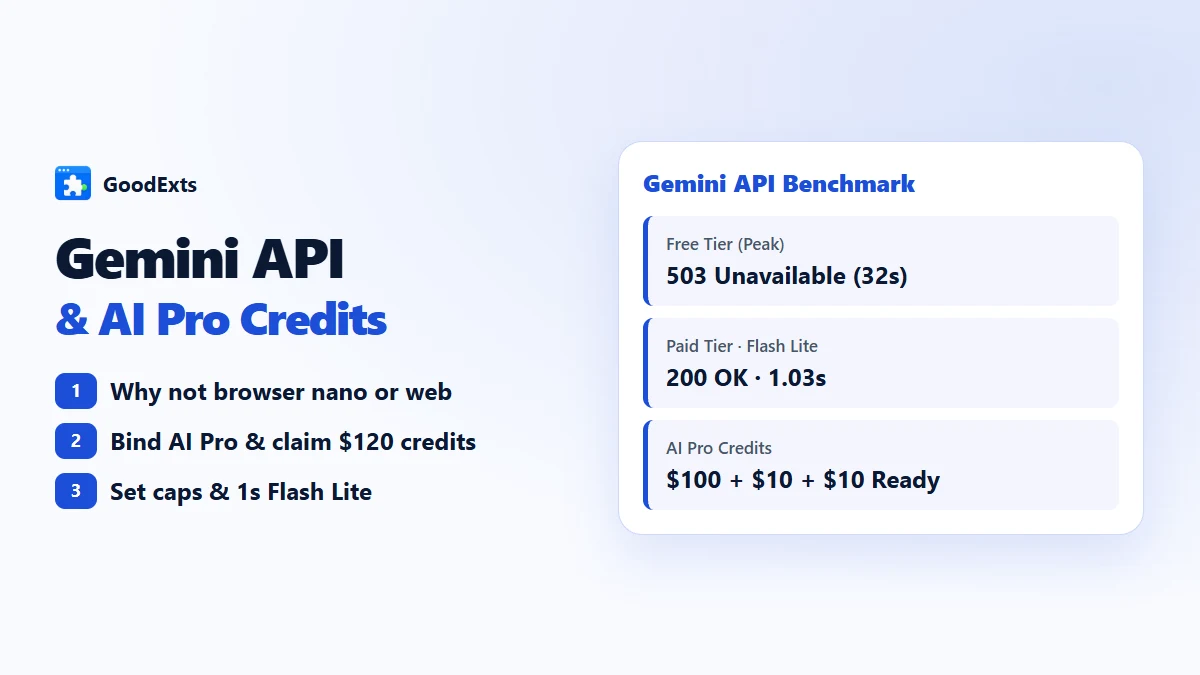
Consumer Google AI Pro and Google Cloud Billing are separate billing systems, but claiming your Developer Program credits and linking billing moves your API key off the congested public free queue into Tier 1. Here is our live batch JSON translation test on X posts:
| Model | Unlinked Free Tier | Linked Tier 1 | Output Quality |
|---|---|---|---|
gemini-flash-lite-latest | 200 OK · 1209ms | 200 OK · 1036ms (~1s) | Preserves Antigravity, Carbon, Neon accurately |
gemini-flash-latest | 503 Unavailable (2.6s) | 200 OK · 6774ms | Natural phrasing for nuanced posts |
gemini-3.8-flash | 503 Unavailable (32.4s) | 200 OK · 7257ms | High quality, slower than Flash Lite |
3. Walkthrough: Create a Key & Claim AI Pro Monthly Credits
The recording below (with account handles, keys, project IDs, and billing IDs blurred via CSS) walks through creating an API key and applying your monthly Gen AI & Cloud credits:
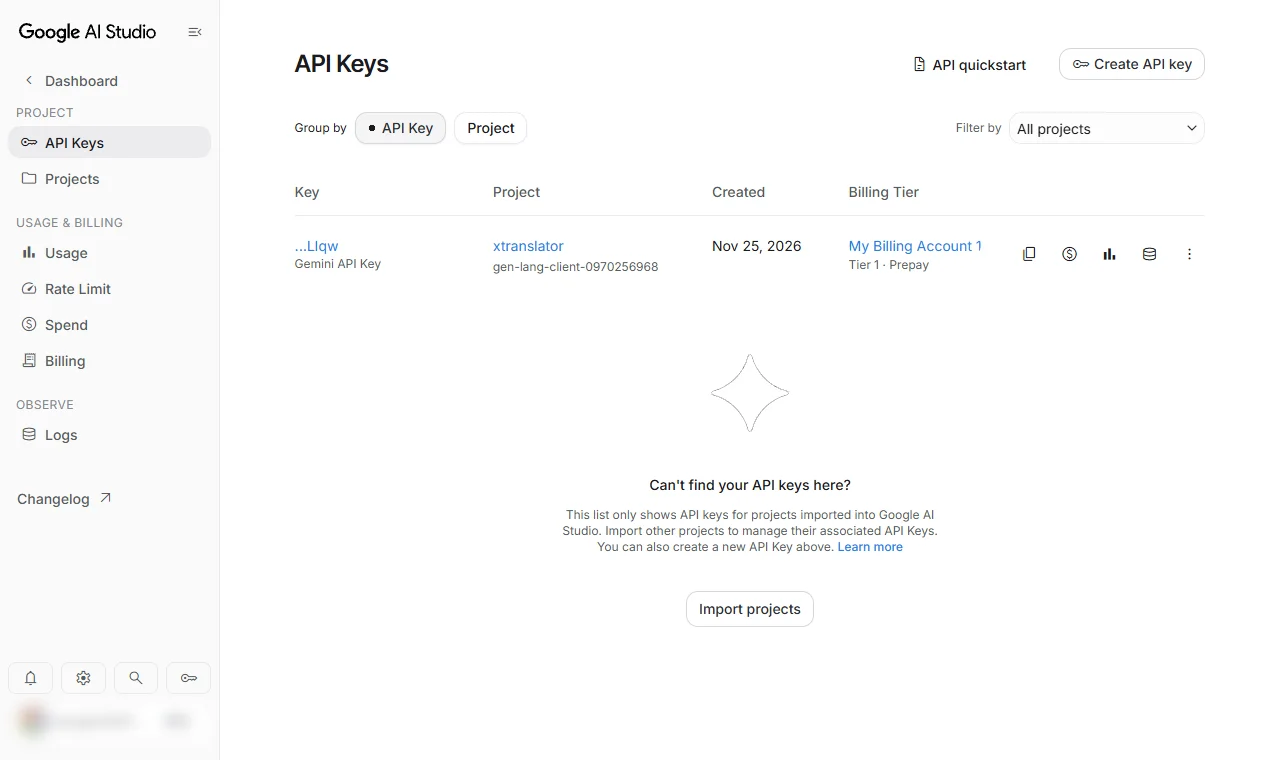
Step 1: Create an API key in Google AI Studio and link billing
Sign in to Google AI Studio (aistudio.google.com/apikey) with the same Google account that holds Google AI Pro. Create a key and link your Google Cloud Billing account so the project upgrades to Tier 1.
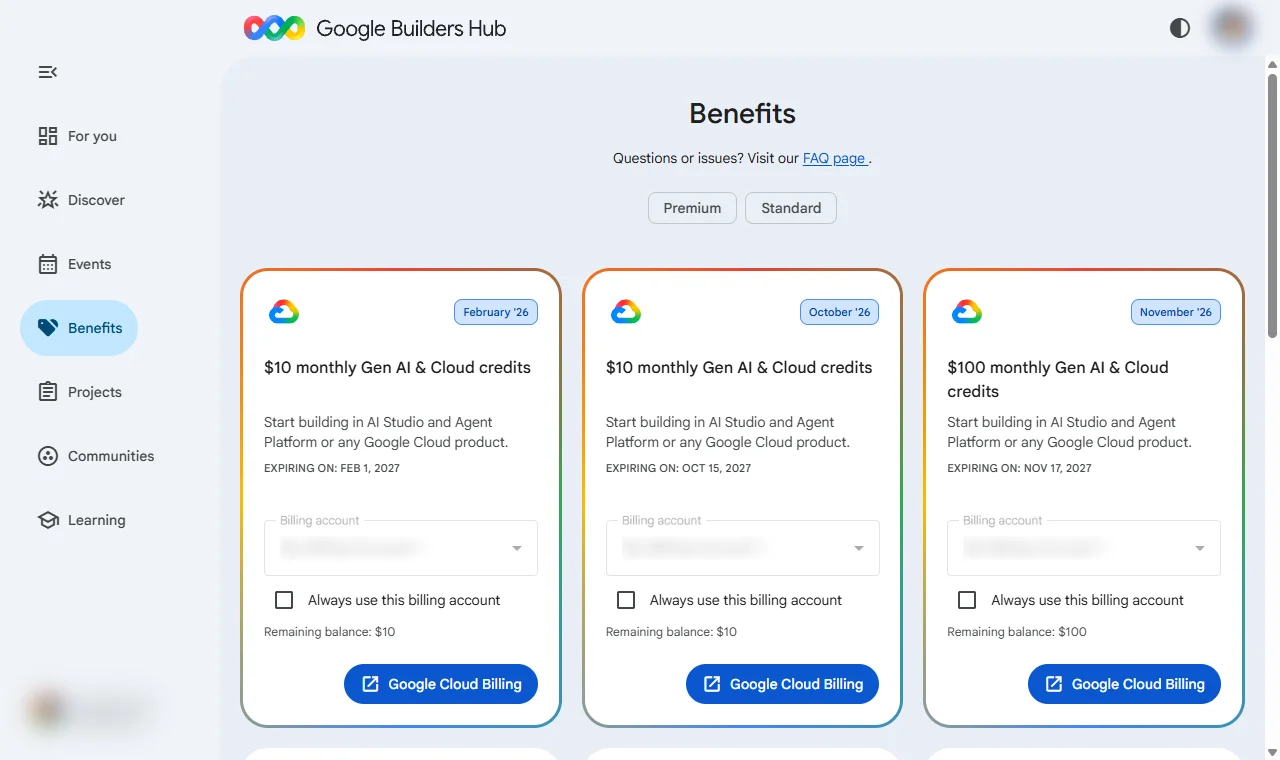
Step 2: Claim monthly credits in Google Builders Hub
Open me.developers.google.com/benefits on your primary subscriber account. Select your billing account on each monthly Gen AI & Cloud credit card (e.g. $10 and $100 grants), check "Always use this billing account", and click Apply.
4. Set Enforced Monthly Spending Caps (Watch the Savings Rule)
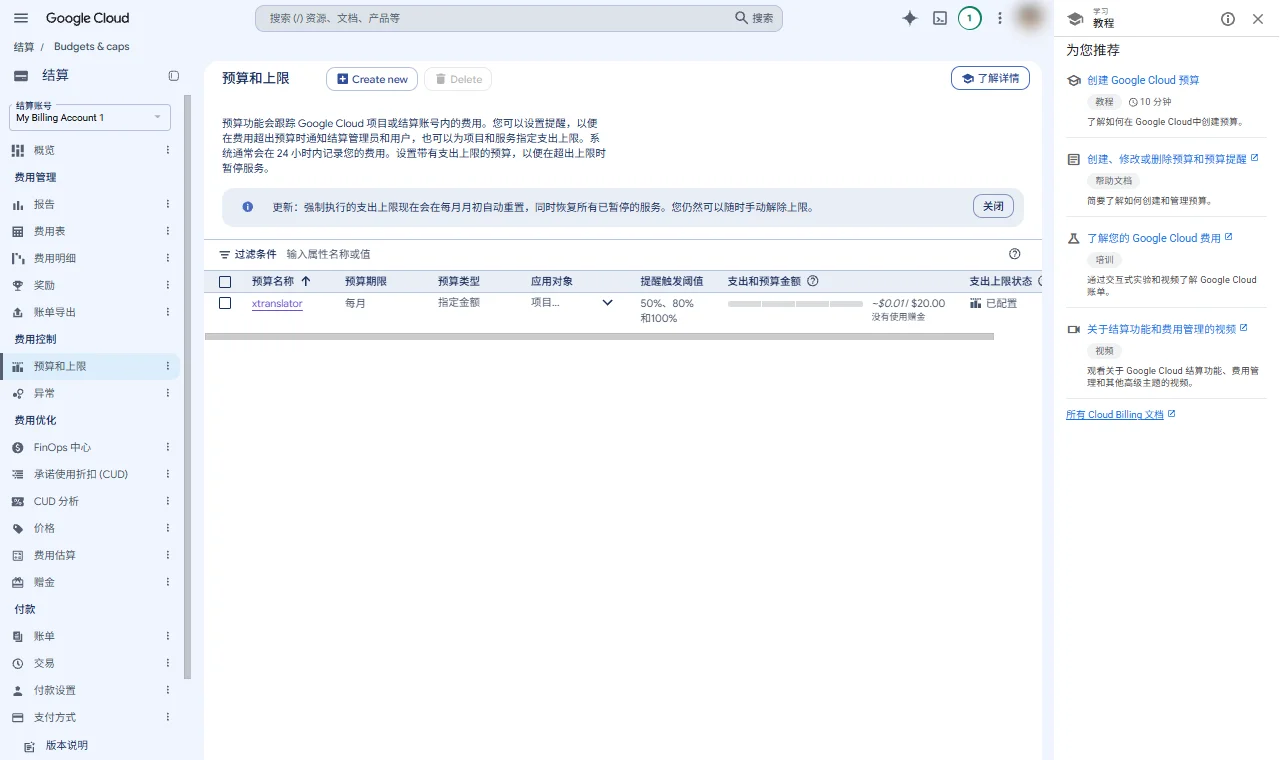
In Google Cloud Billing → Budgets & caps, you can enable an enforced monthly spending cap for Gemini API (generativelanguage.googleapis.com). Keep one important rule in mind:
- When "Enforced spending cap" is selected, the "Savings / Credits" checkboxes are disabled—Google tracks pre-credit gross usage against the cap.
- Keeping a $10 or $20 cap will pause the API once gross usage hits that figure, while actual charges still draw from your $120 credits first ($0 cash spent).
5. Verify Active Credits & Add API Rate Quotas
Confirm your credits are active and optionally cap per-minute/per-day requests for extra safety:
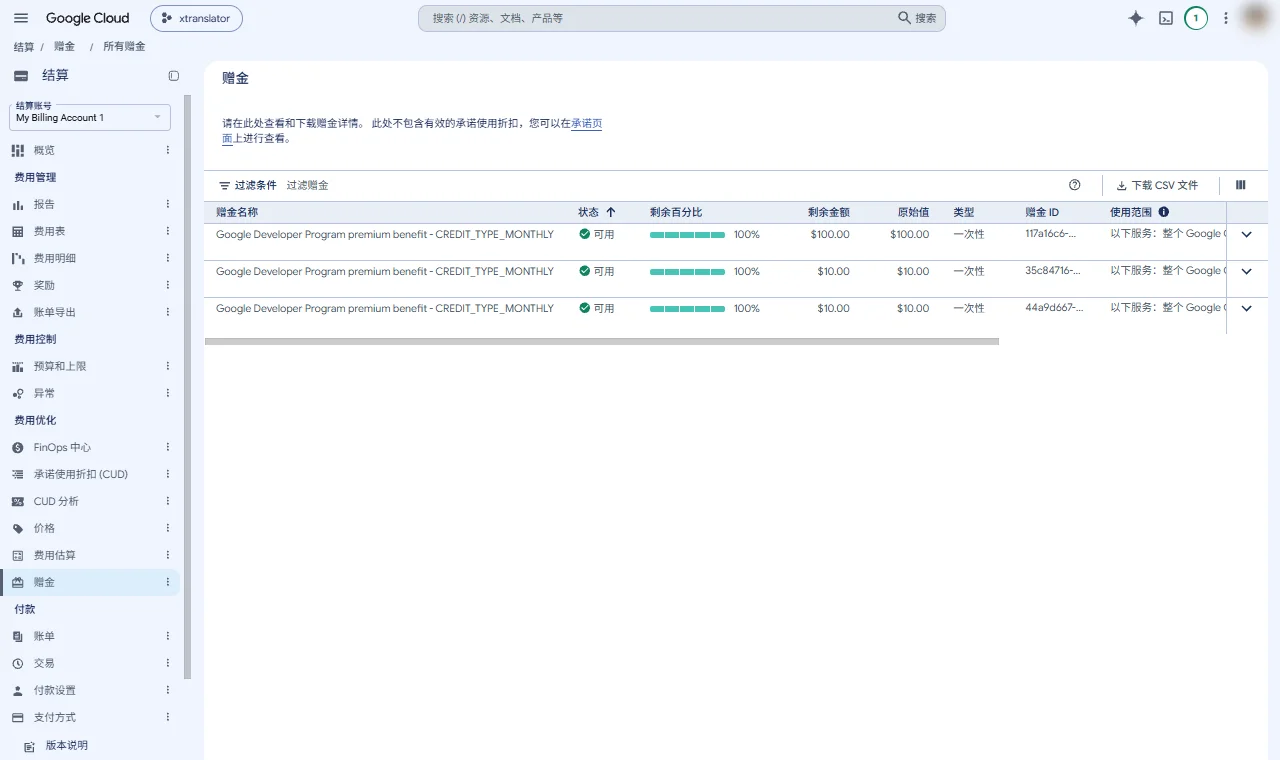
- Open Billing → Credits → All credits to confirm your $100 + $10 + $10 grants show 100% remaining and Active status.
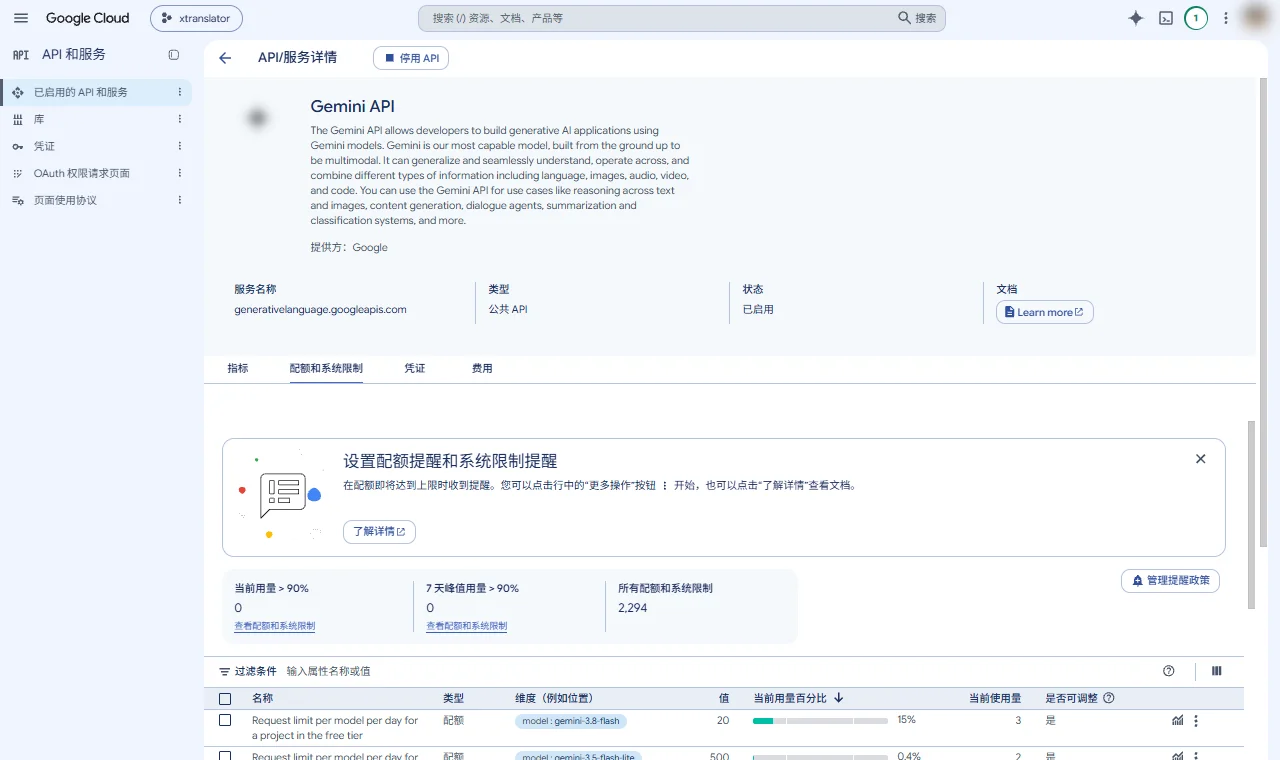
- Open APIs & Services → Gemini API → Quotas & System Limits.
- Filter by model or Requests per minute / Requests per day and lower the limits to match your daily browsing volume.