
Free & Open-Source Chrome Extension · X Photo Viewer

XZoom

Read tall screenshots and photos inside X without blurry downsizing or tab hopping.

X fits tall screenshots and multi-panel images into a small preview box where text becomes unreadable. XZoom attaches a compact toolbar to X’s native photo modal for centered zoom up to 800%, 1:1 pixel view, drag-panning, and direct original-image downloads.

XZoom 1.0.1 · Chrome desktop · Developer mode

Centered Zoom · 1:1 Pixels · name=orig
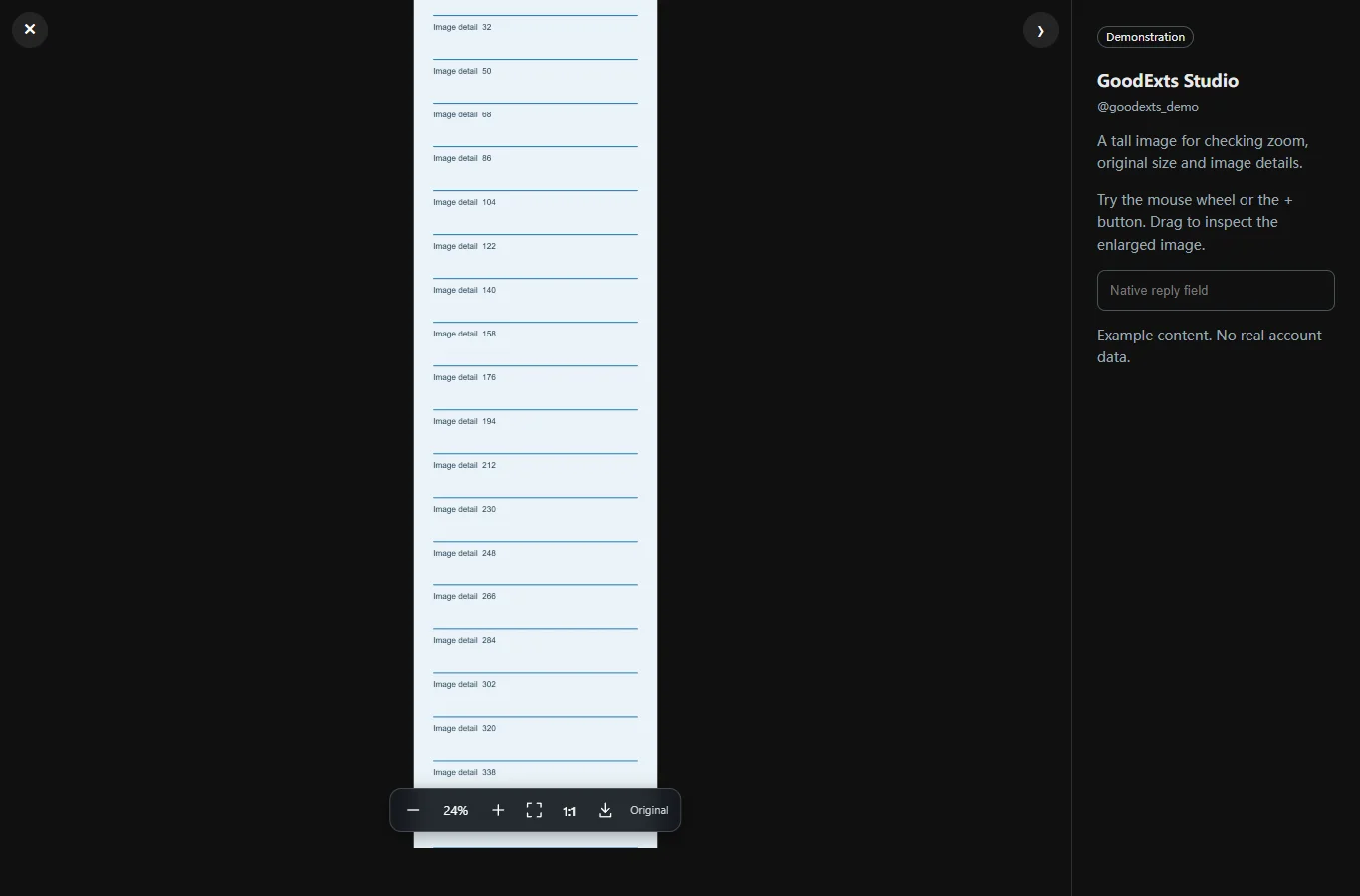
Actual XZoom 1.0.1 toolbar inside the photo modal: centered zoom, 1:1 pixel inspection, Fit reset, and original download.

Why X’s built-in photo viewer slows down visual reading

Charts, code snippets, long-form screenshots, and detailed illustrations regularly lose legibility inside X’s default preview container.

Built for Dense Visuals on X
Tiny preview scaling

Tall vertical screenshots and dense infographics shrink down to fit the modal height, turning fine text and numbers illegible.

Centered zoom & 1:1 pixels in place

Jump straight to 1:1 actual pixel resolution or scale up to 800% with the mouse wheel, keeping focus locked on the center without leaving the post.

Page zoom breaks layout

Using the browser’s global Ctrl/Cmd + zoom inflates menus, timestamps, and sidebars along with the photo and forces constant zooming back out.

Canvas-only controls on the photo

Double-click or press 0 to toggle Fit and actual size cleanly inside the modal while keeping X’s close button, thread replies, and post metadata untouched.

Manual URL tweaking for orig

Right-clicking to open images in a new tab and manually editing URL query strings to name=orig interrupts reading on every single image.

Automatic pbs.twimg.com name=orig fetch

Whenever you open a post photo, XZoom requests its largest available name=orig file and provides one-click saving with retry support if CDN loading fails.

A closer look, in the same preview

Tall screenshots and detailed photos can be hard to read in X’s default preview. XZoom adds a compact toolbar to that preview, so you can zoom without leaving the post.

Centered zoom

Use the mouse wheel or + / −. Zoom stays centered in the image viewing area, regardless of pointer position, up to 800%.

Read the details

Drag an enlarged image. Choose 1:1 for actual pixels or Fit to return to the whole image. X’s close button and post details remain available.

Available originals

Opening a photo requests its name=orig image from X’s image CDN. The original can be downloaded when available. If it fails, the preview stays usable and a retry button appears.

Original means the largest image X currently provides, not the camera file before upload. Some previews already have the same dimensions. Zoom cannot restore detail that is absent from the source.

Controls at a glance

Minimal keyboard, mouse, and toolbar controls integrated natively without cluttering your normal feed.

Wheel / + / −Zoom in or out around the center
DragMove the enlarged image
Fit / 0Fit the whole image to the window
1:1Show actual image pixels
Download arrowSave the loaded original
Double-clickSwitch between fit and actual size

Clear viewer boundaries without feed clutter

XZoom focuses strictly on the photo preview modal inside desktop Chrome so your timeline, playback, and browser tabs stay fast and untouched.

Focused Viewer Scope

Supported inside X photo preview

  • Post photos opened in X’s native lightbox on x.com and twitter.com
  • Tall screenshots, dense tables, diagrams, and code snapshots up to 800% zoom or 1:1 pixels
  • On-demand name=orig original resolution requests from pbs.twimg.com with one-click download
  • Smooth drag-panning, Fit / 0 reset, and double-click size toggle alongside post details

Intentionally outside scope

  • Ordinary scrolling timeline cards and feed thumbnails stay clean with no overlay controls
  • Video players, GIF streams, and profile avatar popups are left untouched
  • Not a batch account scraper, bulk media crawler, or background sync daemon
  • Designed specifically for Chrome on desktop rather than iOS or Android native apps

Small scope, no account setup

Tightly scoped, zero background footprint

  • Open source
  • No tracking
  • No AI connection

XZoom runs only on x.com and twitter.com. It has no background service, account database, AI connection, analytics or tracking. It requests the viewed photo from pbs.twimg.com only while the preview is open. Chrome still requires access to matching X pages so the controls can be added.

Open-source & verifiable distribution

Verify the exact archive before loading it in Chrome. Inspect the source code on GitHub or compare your downloaded ZIP against the published SHA-256 checksum.

XZoom is an independent GoodExts tool and is not affiliated with X Corp. It does not post, follow or comment.

Inspect every pixel and download available originals on X

Free, open-source, and focused strictly on x.com and twitter.com photo previews with zero analytics or accounts required.