
Preview before sending
Type in the usual X Chat composer. The translation appears above your original draft, ready for you to review before you send it.
Read bilingual posts on X, translate incoming chats, and preview your outgoing translation before sending.
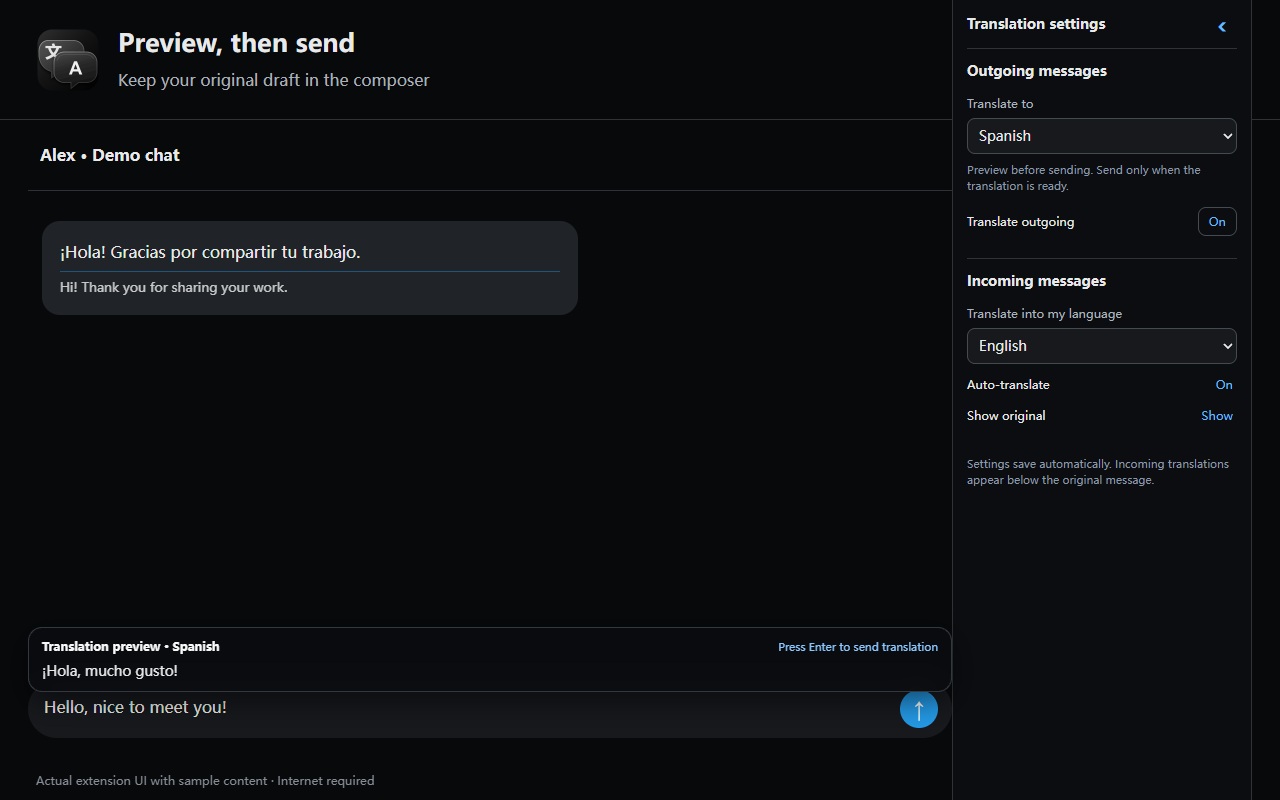
Type in the usual X Chat composer. The translation appears above your original draft, ready for you to review before you send it.
Choose a reading language and whether to show the original alongside the translation.
Scroll your feed and see translations below newly visible posts. Post details and replies work the same way. Retry failed translations from the post.
Read bilingual posts and incoming chats →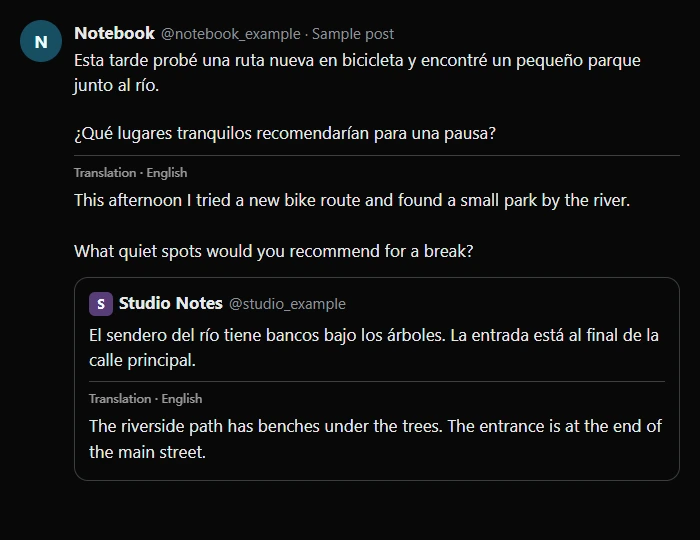
The chat preview and settings follow X’s Light, Dim and Lights Out themes. Collapse the right sidebar with its arrow to make room for the conversation, then reopen it from the translation icon. Post translations inherit the surrounding text style.
Set the reading language once for posts and incoming chats. Choose a separate sending language in each conversation. The extension remembers it for that chat.
The extension follows your browser language. Its interface is available in English, Simplified Chinese, Latin American Spanish, Japanese and Korean, with English as the fallback. Translation targets include English, Simplified Chinese, Spanish, Japanese, Korean, French, German, Portuguese, Arabic and Russian.
Enabled features send the relevant post, incoming message or draft text to Google Translate. Translation requires an internet connection. The extension handles text and leaves image text and video subtitles untouched.
Settings are stored in Chrome. The extension keeps a temporary translation cache in page memory and clears it on refresh. It has no developer-operated data server or analytics. Turn off automatic translation before viewing or typing text you want to keep from the translation service.