If you have ever opened x.com/notifications and seen a reply like "Sounds good", "Follow back please", or a short remark with zero context, you know the frustration: X notifications do not show the original tweet they replied to, forcing you to click into thread after thread just to figure out what is going on.
1. Why Seeing Which Tweet Someone Replied to on X Is So Painful
On X (Twitter) web, the Notifications timeline strips away parent tweet text on standard replies. When you publish multiple posts a day or join active conversations, seeing a standalone "Agreed!" or "Thanks for sharing" leaves you guessing which post triggered it.
Clicking every notification just to see the parent tweet breaks your reading rhythm, loses your scroll position, and wastes minutes on every check-in. That is why so many creators look for a Twitter notifications show context extension or an X.com quality of life extension.
- Short replies like "Yes", "Interesting", or "Followed" give no clue without the original tweet.
- Opening each reply in a new tab or navigating back and forth slows down daily community engagement.
- Important replies and likes from high-intent readers easily get buried under noisy alerts.
2. X Notifications Show Original Post: Stacked Reply Context in v5.15.2
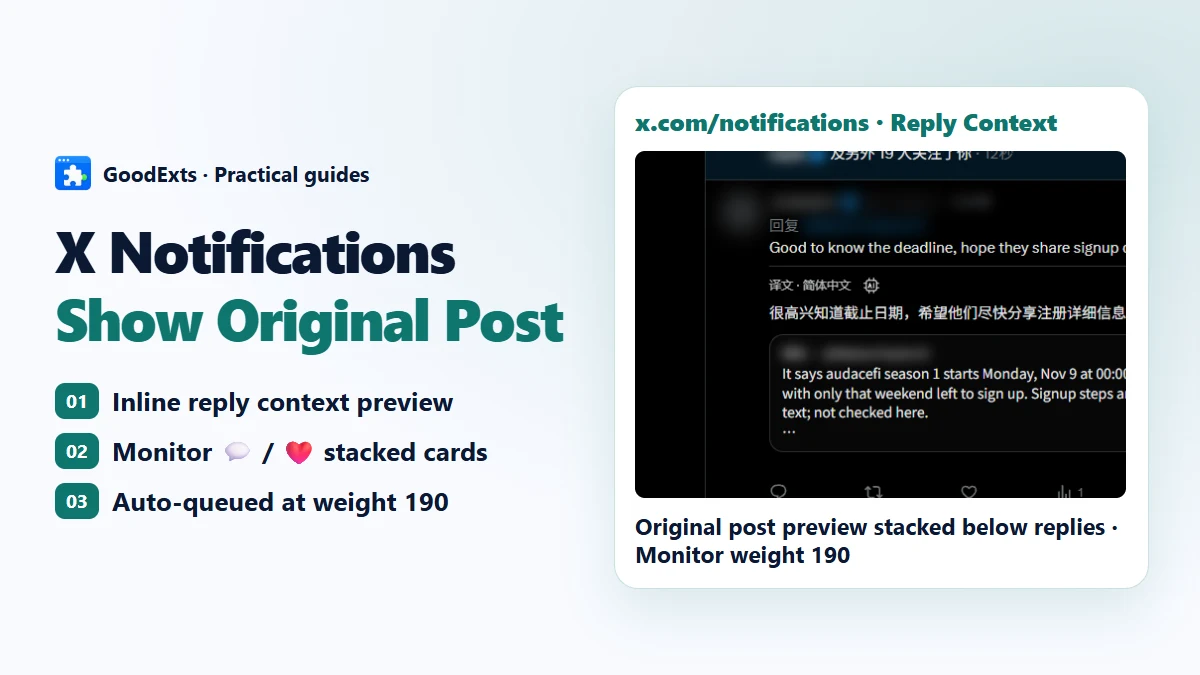
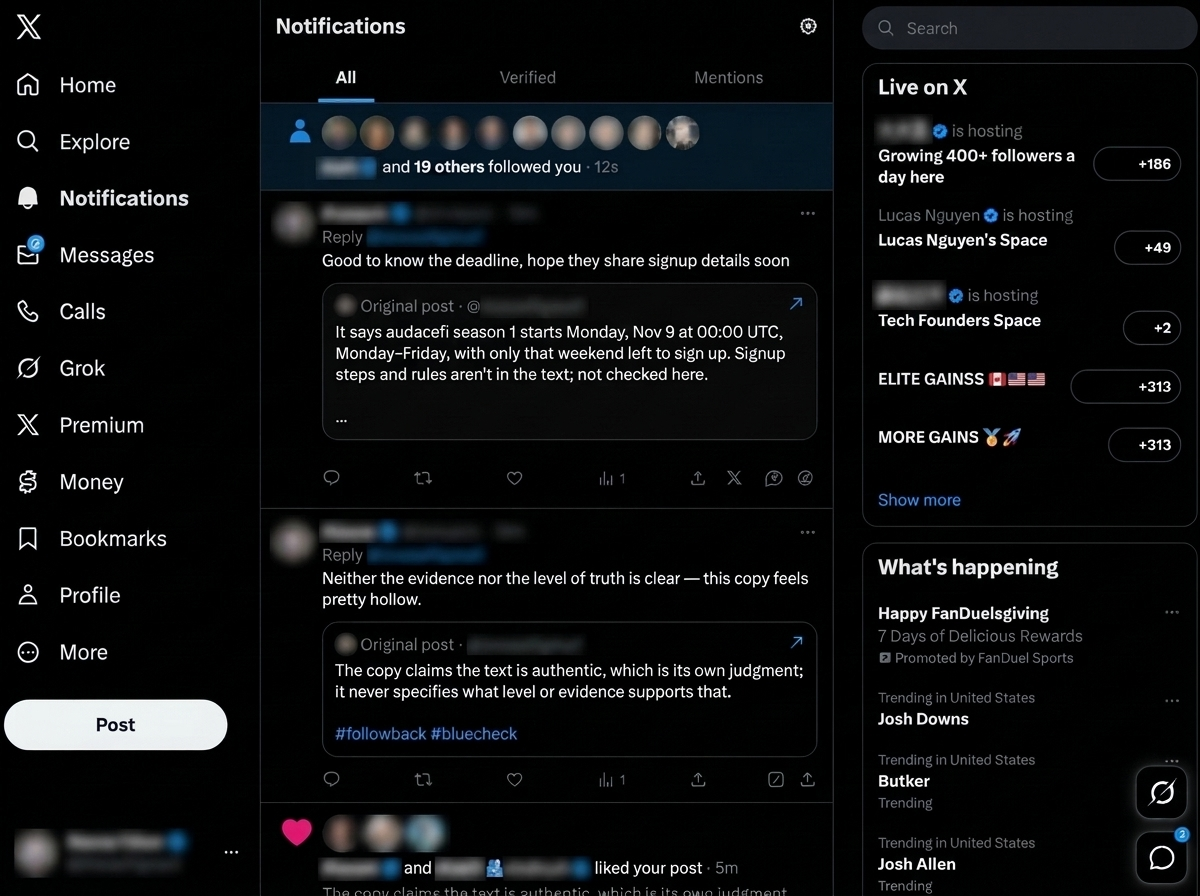
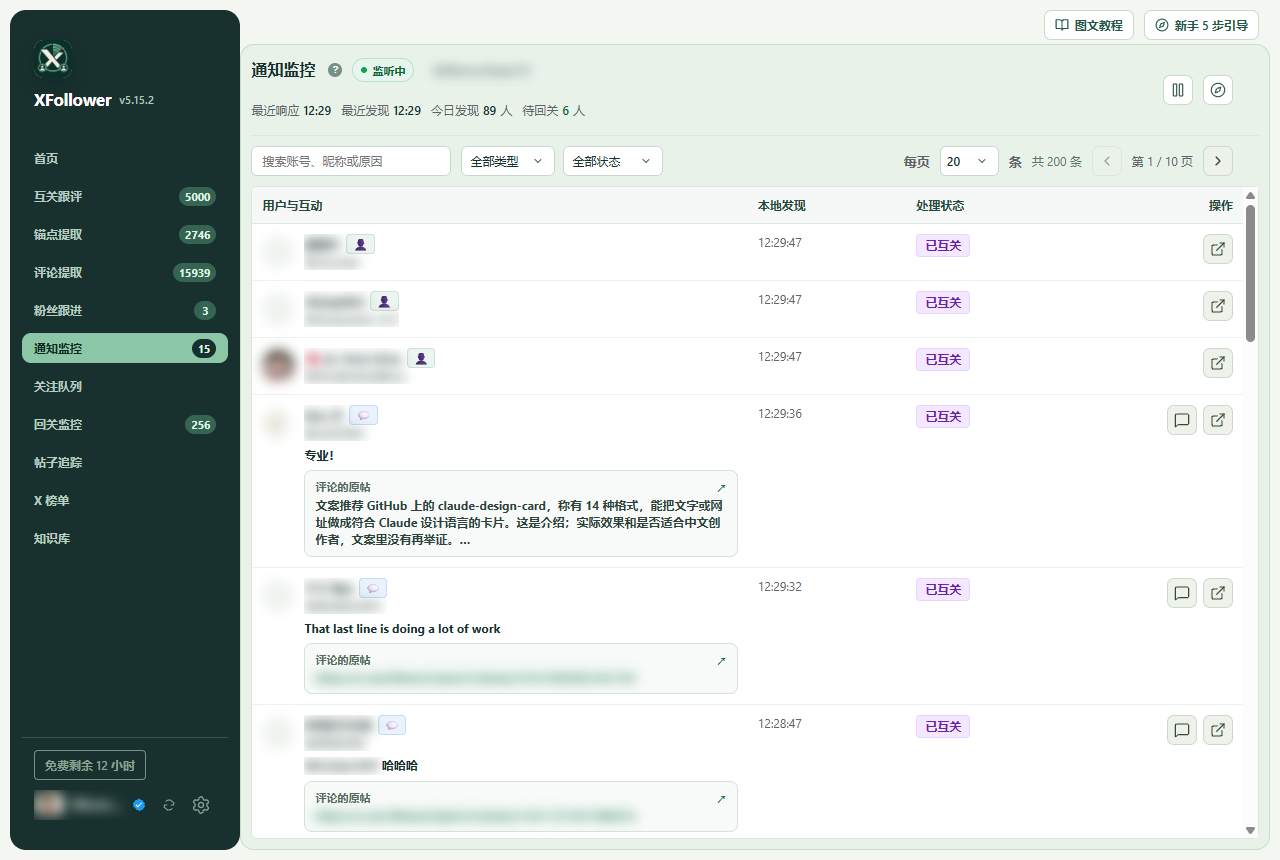
XFollower v5.15.2 acts as a lightweight Twitter web UI fix and X notifications enhancer directly inside https://x.com/notifications. Beneath each reply notification, XFollower renders a clean stacked Original Post Preview card showing your parent tweet text.
Whenever you want to reply back, you already know the exact topic—or click the preview card once to jump straight to the original post.
- Instant local matching: matches parent tweets already collected in your local XFollower database with zero extra delay.
- Silent background fallback: if the original post is not cached locally yet, XFollower quietly fetches the parent tweet text in the background.
- One-click jump: click the stacked original post preview card to open the exact thread and respond immediately.
3. Consolidated Notification Monitor (💬 / ❤️) & 190-Weight Follow Queue
Beyond enhancing the native X notifications page, XFollower v5.15.2 upgrades its built-in Notification Monitor workspace. Replies (💬) and likes (❤️) are captured alongside stacked original post cards so you can review who engaged and why in one unified table.
Every discovered commenter is automatically written into Comment Discovery (Notification Monitor channel) and queued into your Follow Queue with a high priority weight of 190—right behind confirmed follow-backs (200)—so you never miss warm interactions.
4. Native X Notifications vs. XFollower v5.15.2
| Workflow Step | Native X Web | With XFollower v5.15.2 |
|---|---|---|
| See what tweet someone replied to | Click into every reply thread manually | Stacked Original Post Preview shown inline |
| Review likes & replies together | Mixed chronological feed, easy to miss | Unified 💬 / ❤️ cards with parent context |
| Follow up with active commenters | Manually open profile and track | Auto-added to Follow Queue at weight 190 |
5. Only Want Original Post Previews? Try the Standalone Open-Source Extension
If you only want the inline original-post preview inside x.com/notifications and prefer not to install the full XFollower growth suite, we also extracted that single feature into a tiny, MIT-licensed open-source Chrome extension: X Notification Context.
The standalone extension is ~400 lines of plain, auditable JavaScript with zero tracking, zero ads, and only two minimal permissions (storage for local post caching and api.fxtwitter.com to fetch public parent-post snippets when X omits them).
- Want only the notification reply preview? Download the standalone open-source ZIP from GitHub and load it unpacked in 1 minute.
- Want Notification Monitor filtering, comment discovery, weight-190 Follow Queue, and AI engagement? Install XFollower v5.15.2 from the Chrome Web Store.
Get Better Twitter Notifications with XFollower v5.15.2
Install XFollower from the Chrome Web Store or visit the GoodExts product page to claim your 3-day trial and daily free activation code.