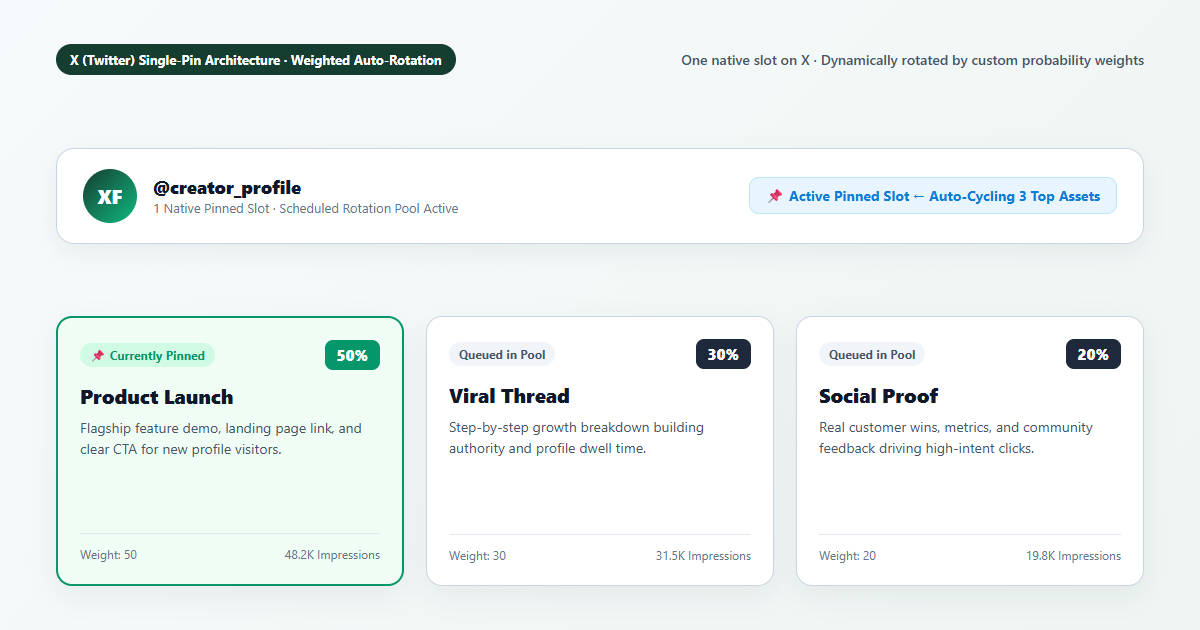
The short answer: No, X (formerly Twitter) does not natively allow you to pin more than one post to your profile at the exact same time in 2026—even if you subscribe to X Premium. Because X’s core architecture reserves strictly one pinned slot per account, any tool claiming to display three separate native pins simultaneously on your public profile is overselling a workaround.
However, that single-slot restriction doesn’t mean your profile visitors can only see one of your best assets. Whether you are launching a SaaS product, promoting a viral thread, or capturing newsletter leads, you can achieve the exact outcome of pinning multiple tweets using three native X tactics—or by upgrading to weighted auto-pin rotation, a smarter growth workflow that automatically rotates your top posts based on custom probability weights and performance metrics.
Why X Still Limits Profiles to a Single Pinned Post
Since Twitter first introduced profile pinning in 2014—and throughout every major product overhaul under X—the single-pin rule has remained untouched across mobile apps, desktop web, and X Pro.
From a UX and conversion perspective, there is a valid reason behind the constraint: when a new visitor lands on your profile, you have roughly three seconds to earn a follow or a click. A wall of five competing pinned posts creates decision fatigue and visual clutter.
Still, creators and founders rarely have just one thing worth showcasing. If you want to surface a product demo, customer testimonials, and your highest-performing educational thread without manually unpinning and re-pinning every few hours, you need a structured system.
3 Native Ways to Showcase Multiple Pinned Tweets (No Tools Required)
If you want to stay 100% inside X’s built-in features without relying on external link-in-bio pages, these three methods deliver the closest experience to having multiple pins.
1. Build a "Pinned Menu" Directory Tweet
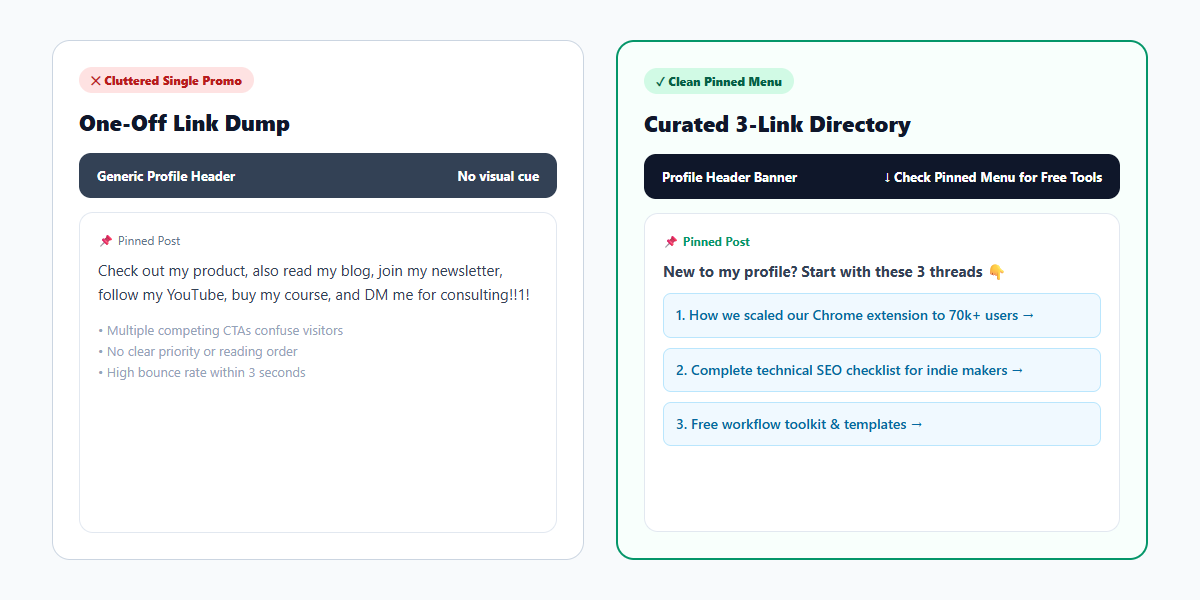
Instead of pinning a single standalone post, publish one clean "Table of Contents" tweet that links directly to your top three or four posts, then pin that directory tweet.
Proven Pinned Menu Template:
New to my profile? Start with these 3 threads 👇
1. How we scaled our Chrome extension to 70k+ weekly users: [Link to Tweet A]
2. My complete technical SEO checklist for indie makers: [Link to Tweet B]
3. Download our free workflow toolkit here: [Link to Landing Page]
- Why it works: Visitors get an immediate curated roadmap of your best work in a single glance.
- Pro tip: Avoid cramming more than 3–4 links into a menu tweet, and keep a saved note on your phone or desktop so you can refresh the links monthly without rewriting from scratch.
2. Pin a High-Retention Thread Instead of a Single Post
X counts an entire thread as one single pinned post, giving you five to ten consecutive cards to hook a visitor. Rather than pitching a cold link immediately, open with a strong thesis or case study hook in Tweet #1, deliver genuine value across Tweets #2–#5, and place your call-to-action (CTA) in the final post of the thread.
- Algorithmic bonus: When profile visitors click into your pinned thread and scroll through multiple posts, X registers strong dwell time and profile engagement signals, boosting your account’s organic reach.
3. Use X Premium "Highlights" + Header Banner Cues
If you subscribe to X Premium, your profile unlocks a dedicated Highlights tab right next to Posts and Replies.
- How to use it: Add your top 3–5 evergreen long-form posts, product launches, or case studies to Highlights. While it sits one tab away from your main feed, it acts as a permanent curated portfolio that never gets buried by your daily replies or reposts.
- Pair it with your Header Image: Most profile visitors scan your top cover banner before reading your bio. Adding a subtle directional arrow or text cue ("Check my Pinned Post & Highlights for free tools ↓") dramatically increases click-through rates on both slots.
Comparison: Which Multi-Pin Strategy Fits Your Account?
| Strategy | Setup Effort | Cost | Best Use Case | Main Limitation |
|---|---|---|---|---|
| Pinned Menu Tweet | 5 minutes | Free | Creators with 3 distinct funnels (newsletter, product, top thread) | Requires manual editing whenever links go stale |
| Pinned Thread | 15–30 minutes | Free | Storytelling, authority building, step-by-step tutorials | Lower immediate click-through for direct product links |
| X Premium Highlights | 5 minutes | X Premium ($8+/mo) | Archiving top evergreen posts & long-form articles | Hidden behind a secondary profile tab |
| Weighted Auto-Pin Rotation | 2 minutes | Free / Tool-assisted | High-volume creators & SaaS founders running continuous A/B tests | Requires a scheduler or browser extension to trigger swaps |
Beyond Static Pins: How Weighted Auto-Pin Rotation Works
The biggest flaw with static workarounds—even a Pinned Menu—is banner blindness. Your regular followers and repeat visitors stop noticing a pinned post after seeing it twice, and you have no reliable way to measure which specific post actually drives profile conversions.
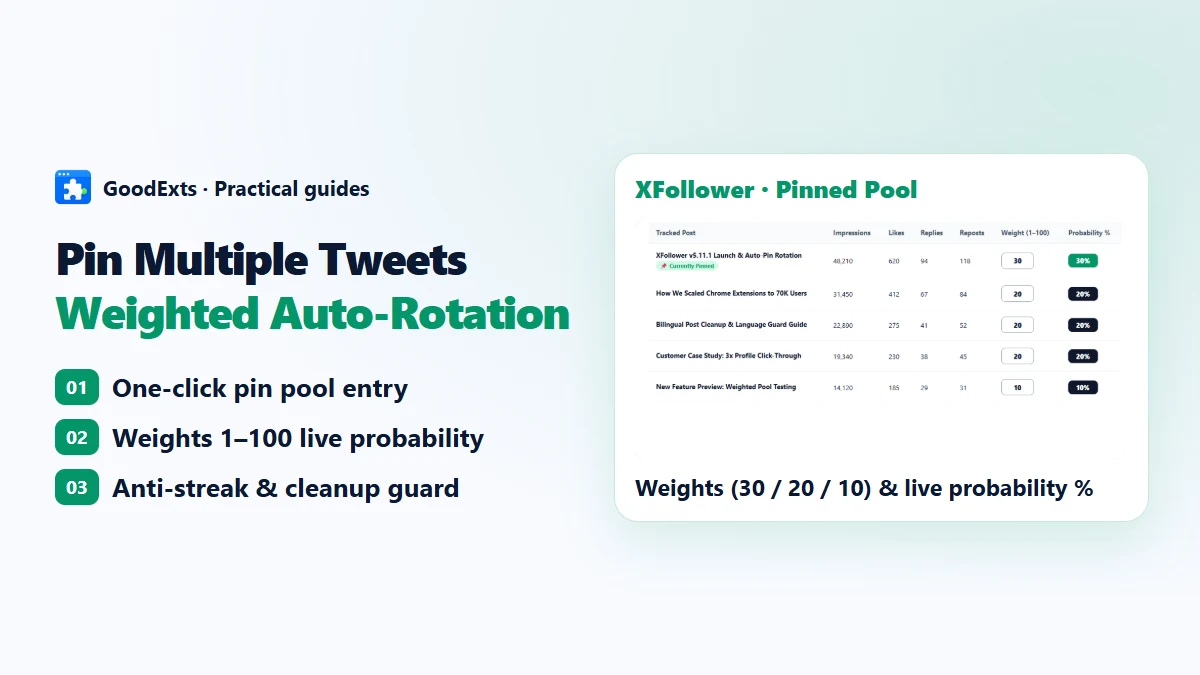
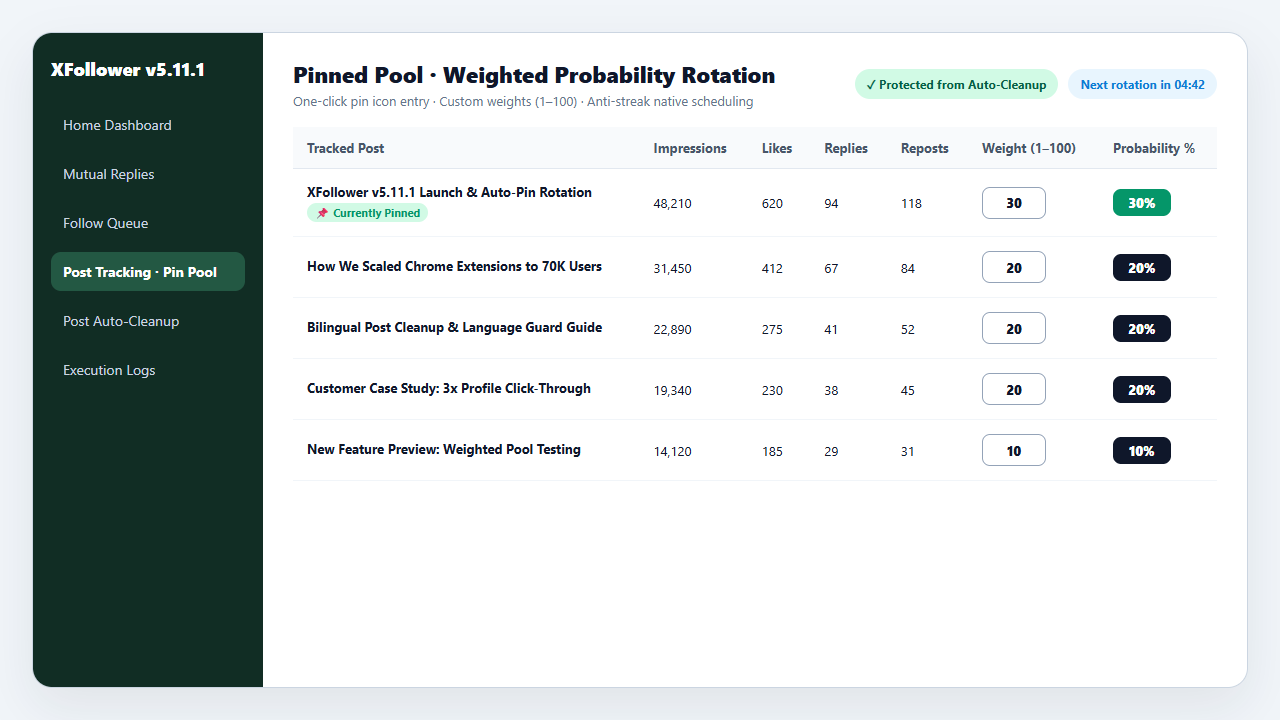
Modern X growth tools (such as XFollower and browser-based automation workflows) solve this by introducing Weighted Auto-Pin Rotation. Instead of hacking X’s frontend, the system builds a curated Pin Pool of your top-performing posts and automatically rotates which post occupies your single native pin slot on a scheduled timer.
Why Weighted Probability Beats Rigid Queues
- 1. Prioritize Your Money Posts: Assign a 30%–40% weight to your primary product launch or lead-magnet tweet so it captures the largest share of profile traffic.
- 2. Test New Contenders Safely: Give newly published threads or feature announcements a 10%–15% weight to test how they perform at the top of your profile without sacrificing your main conversion funnel.
- 3. Natural Scheduling Intervals: Rotating every few hours (with anti-streak protection and natural timing) keeps your profile fresh for repeat visitors while staying compliant with X’s native pinning behavior.
- 4. Data-Driven Pruning: By tracking impressions, engagement rates, and link clicks alongside rotation windows, you can quickly spot outperforming posts, increase their weight, and drop underperformers from the pool.
4 Quick Rules Before Choosing What to Pin
Before setting up a Pinned Menu or a rotation pool, run your candidate posts through this quick audit:
- Never waste your pin on a plain repost: Pinning someone else’s tweet sends your hard-earned profile traffic straight to their account. If you want to share social proof or press mentions, use a Quote Tweet with your own commentary.
- Align with one monthly goal: Decide whether your priority this month is follower growth (pin an intro/story thread), authority (pin your most-bookmarked technical breakdown), or leads/sales (pin a product demo with a direct link).
- Audit metrics, not gut feelings: Check X Analytics every 14 to 30 days. A six-month-old pinned tweet with stagnant clicks is dead real estate.
- Keep a clean reading experience: If you are sharing long-form insights or saving competitor threads for inspiration, strip out distractions so your best ideas stay easy to reference and repurpose.
Supercharge Your X Workflow with GoodExts
Managing your profile is only half the battle—researching high-performing content, saving media assets, and keeping your timeline noise-free takes just as much effort. At GoodExts, we build lightweight, privacy-first Chrome extensions designed specifically for X power users and creators:
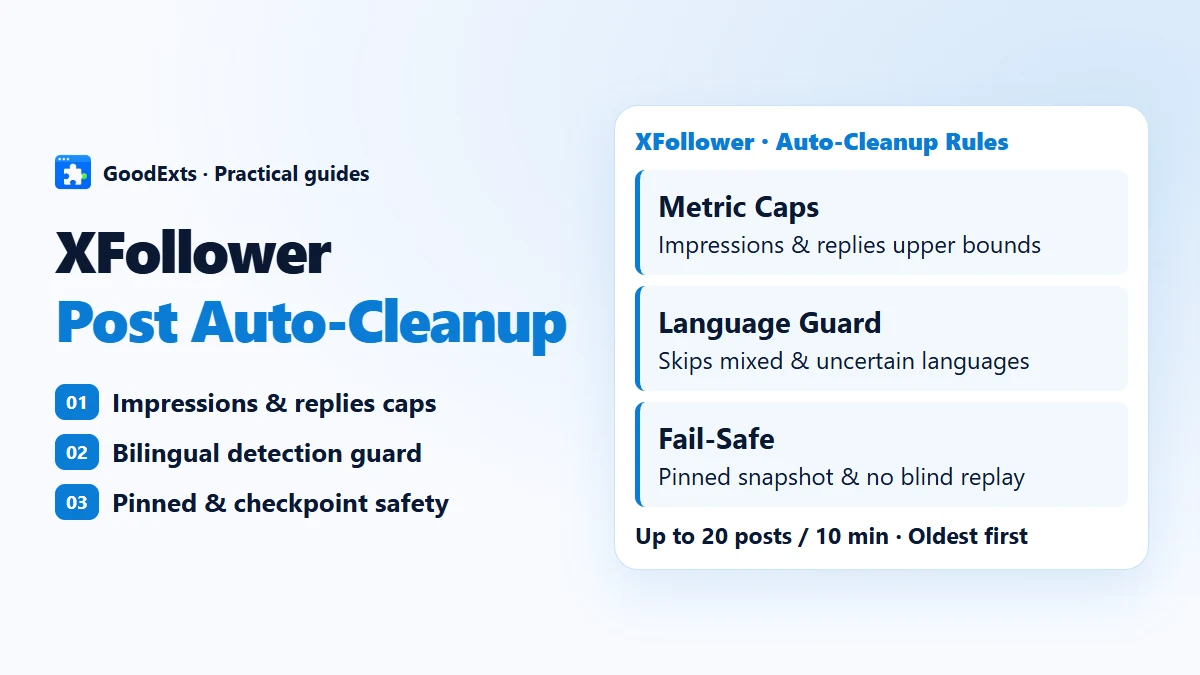
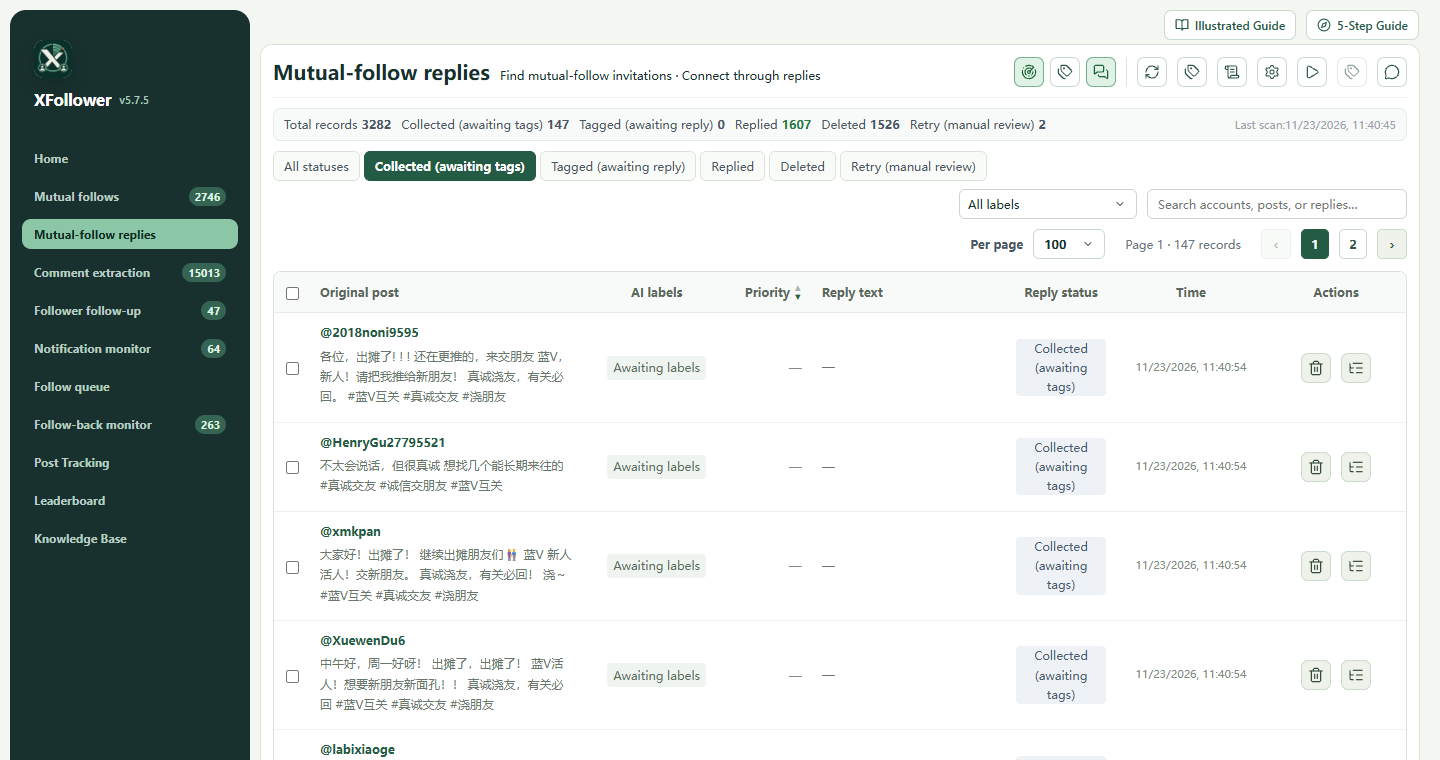
- XFollower (v5.11.1): Our flagship X growth & post-management extension—now featuring Weighted Auto-Pin Rotation (one-click pin icon on your X posts, custom weights 1–100 with live probability scheduling, anti-streak native rotation, and automatic protection from Post Auto-Cleanup), alongside AI reply workflows and follower tracking.
- X Video Downloader: Save high-definition videos and GIFs from any post in one click—ideal for archiving viral video formats or repurposing your own product demos.
- X Article to PDF: Convert long-form X Articles and deep-dive threads into clean, readable PDFs so you can build an offline swipe file of top-performing hooks and structures.
- X Blocker: Filter out timeline spam, engagement-bait bots, and keyword noise so you can focus exclusively on high-signal conversations in your niche.
Want to try automated weighted pin rotation on your own X profile? Explore XFollower and our full suite at goodexts.com. Explore XFollower →
Frequently Asked Questions (FAQ)
Can I pin more than one tweet on X in 2026?
No. X enforces a strict limit of one pinned post per account across web, iOS, and Android. To feature multiple posts, you must either combine links into a single "Pinned Menu" tweet, pin a multi-post thread, use the X Premium Highlights tab, or use an auto-pin rotation tool to cycle through multiple tweets automatically.
Does X Premium let you pin multiple tweets?
No. Subscribing to X Premium does not increase your pinned tweet limit. However, X Premium gives you access to the Highlights tab on your profile, allowing you to curate multiple important posts in a separate section right next to your main timeline.
Are third-party "multi-pin" tools safe to use on X?
Tools that simply create an external link-in-bio carousel page or trigger standard native Pin actions on a reasonable schedule (e.g., every few hours) are safe. Avoid any tool that promises to "hack" X’s interface or triggers rapid, spam-like API requests every few minutes, as excessive automated actions can trigger temporary account rate limits.
Should I pin a thread or a single tweet?
Pin a single tweet when you have one unmistakable call-to-action (such as a product launch or newsletter signup) that visitors should see without extra scrolling. Pin a thread when you want to demonstrate expertise, tell a founder story, or increase profile dwell time before pitching your offer.
Try Weighted Auto-Pin Rotation with XFollower
One-click pin pool entry, custom weights (1–100) with live probability badges, anti-streak native scheduling, and auto-cleanup protection.