A useful AI workflow starts with a job you want finished, not another chat window. Perhaps you need tomorrow’s research brief, a week of account-specific content drafts, or replies based on the product information you have already prepared. The missing piece is often a dependable connection between the tool holding the work and the AI conversation that knows the context.
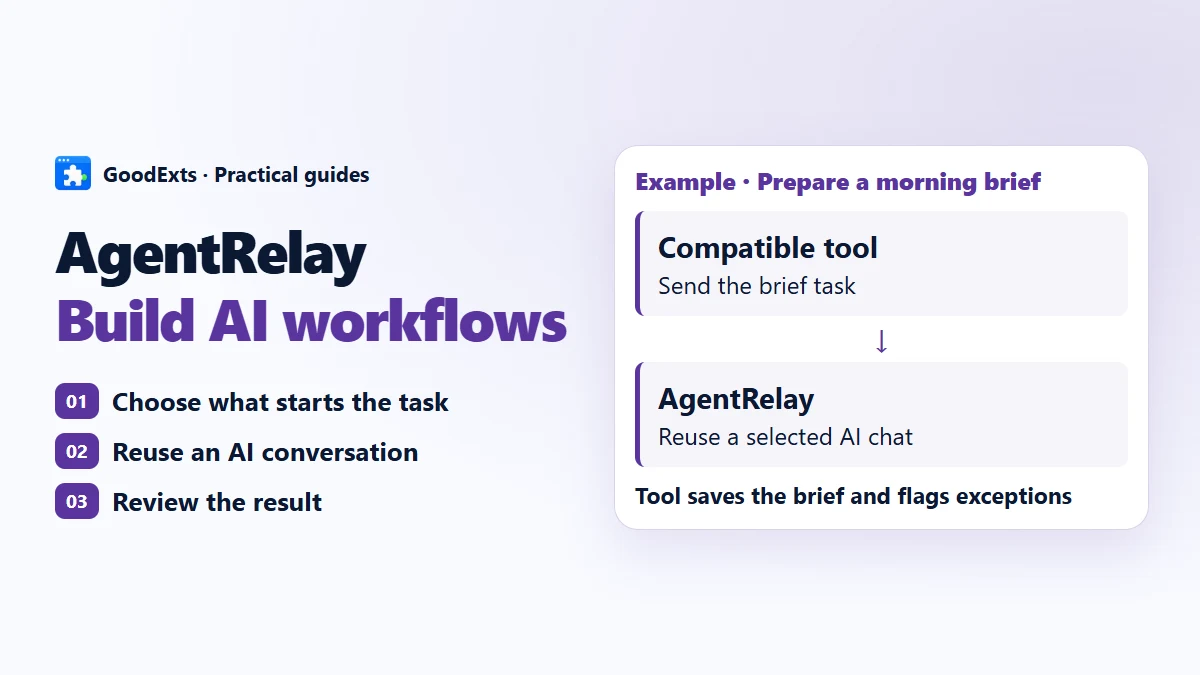
- 1Scheduled triggerYour workflow starts the job
- 2Account briefThe right facts and instructions
- 3AgentRelayConnect to the selected AI
- 4AI conversationContinue the same project
- 5Saved resultOutput and exceptions to check
Start with the repeated job
Imagine managing a personal X account, a product account and a client account. Each has its own audience, facts and writing style. Manually collecting material, switching accounts and explaining the brief again is work before the actual work. The goal is to prepare distinct results for each account without sitting at the computer for every step.
Write down one small, testable job: “Every evening, use these approved sources to prepare three topics for the product account. Save the sources and the drafts. Flag anything that needs a fact check.” This defines an input, a result and an exception. It is much easier to test than “run my social media.”
Separate the schedule from the AI connection
A compatible extension or workflow decides when to run, which account a task belongs to, where to get material and where to save the result. AgentRelay connects that task to Codex, Grok Bot or Antigravity. The selected AI client does the AI work. You need all of these parts for an overnight process; the hub alone does not provide account management or a scheduler.
This division is useful when you change tools. The operations tool can keep its schedule and destination while you choose another supported AI conversation. A different engine will not automatically inherit the previous engine’s history, so prepare its instructions separately.
Prepare a conversation that can do the job
Choose a supported AI client, open it and sign in. In a dedicated project conversation, supply the product facts, the intended audience, the required output and the rules for uncertainty. Ask for a small sample before connecting a longer workflow. Adding documents to a chat is not the same as training a model or building a managed knowledge base.
For multiple accounts, keep the briefs and selected conversation IDs distinct. A founder account and a company account may describe the same release differently, but neither should invent results or copy another creator’s work. Reusing a conversation helps maintain the brief; it does not guarantee that every older detail remains available forever. Keep essential instructions concise and review outputs.
Connect once, then test a follow-up
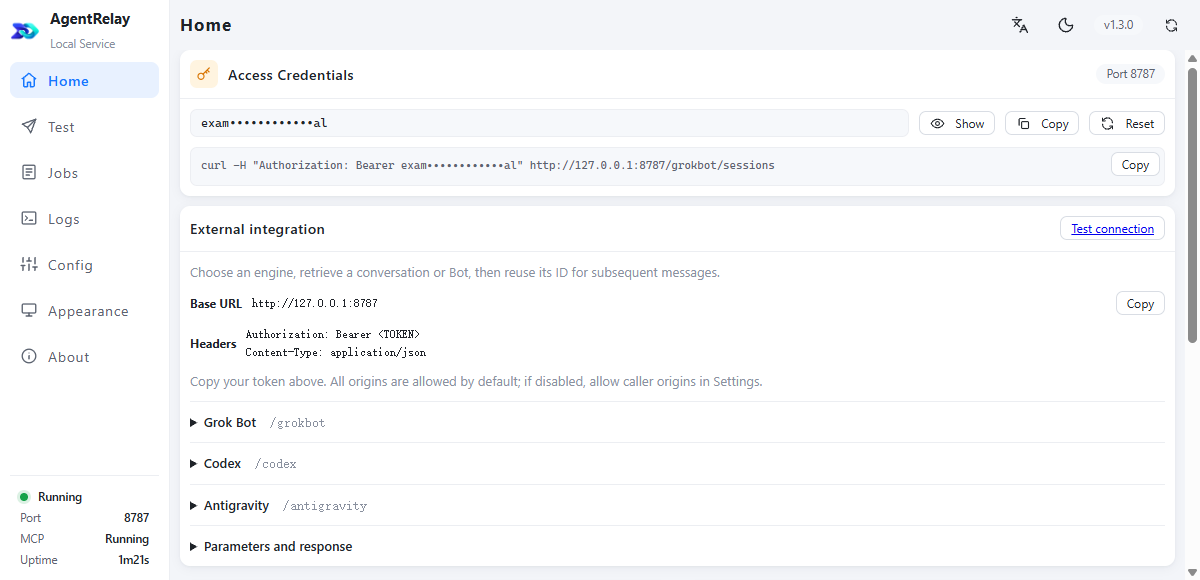
Install AgentRelay for your platform, open its local dashboard and use the test page to select an engine and conversation. Copy the service address and access token into the compatible tool’s AgentRelay settings. Never put that token into a public page, screenshot or shared repository.
Run a first request with an easy-to-check instruction, then send a follow-up to the same conversation. Check both the result and the selected conversation before enabling a batch. Codex and Antigravity support creating a conversation explicitly; Grok Bot uses an existing Bot. A new conversation is a deliberate choice, not a side effect of every message.
Make the overnight run observable
Start with one account and a small batch while you are available. Record which input produced which task ID and where its result was saved. Your workflow should distinguish completed, failed and uncertain work. If delivery is uncertain, check the original task instead of automatically sending it again.
Once the small run behaves correctly, schedule it for an evening window. Keep the computer awake, AgentRelay running and the selected AI client available. Normal tasks can proceed under your rules; exceptions should be collected for intervention. In the morning, inspect the completed output and the exception list, not just a green “started” message.
The service has a local connection and task interface. Whether a workflow saves a draft, schedules a post or sends a reply depends on the downstream tool and the permissions you gave it. This guide describes a workflow pattern, not a claim that AgentRelay currently operates every social platform by itself.
Count the whole cost
AgentRelay is free software. That does not make model usage unlimited or give every subscription separate API rights. The supported client, your plan, service terms and account limits determine what is available. Cloud AI processing can still occur even though the bridge runs on your computer.
Measure your actual process: time spent preparing the batch, repeated configuration, any extra tool fees, model costs where applicable, and the time needed to correct results. A local AI hub is worthwhile when it removes enough repeated work and connection friction for your specific task. No fixed savings percentage fits everyone.
Before you leave it running
- One clearly defined task, with a small successful test.
- The right engine and conversation for each account.
- A working destination for results and a list for exceptions.
- Available computer, client, permissions and account allowance.
- A way to stop the workflow and inspect the original task.
XFollower · X operations extension
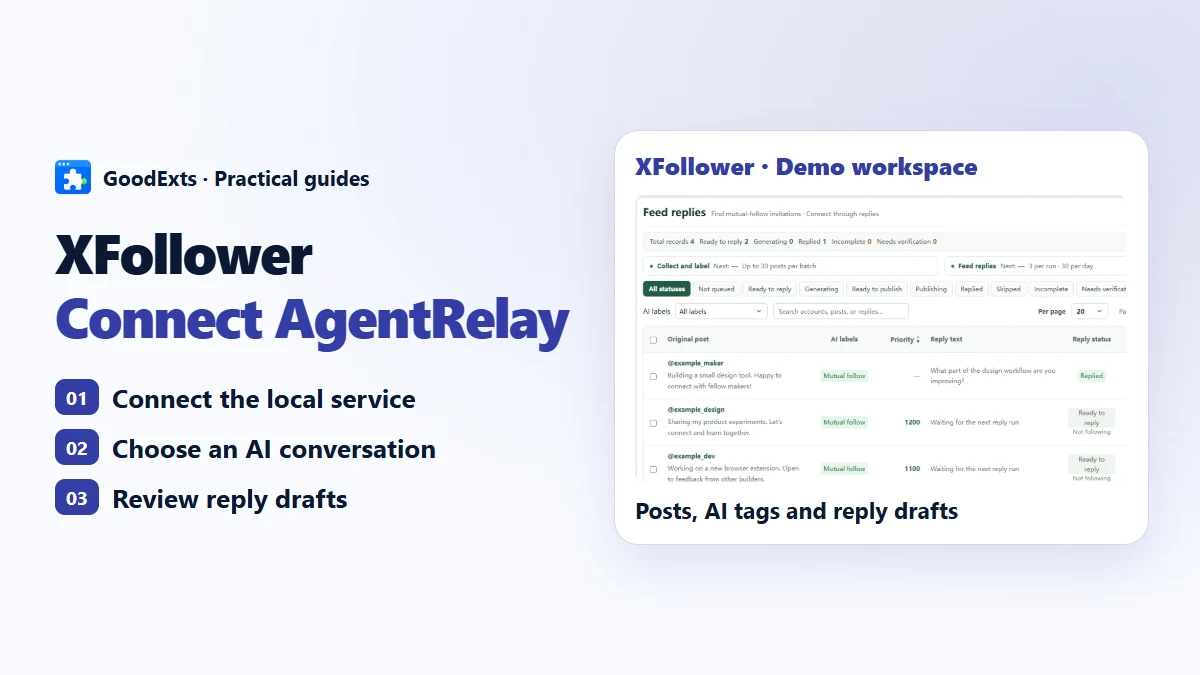
XFollower organizes followers, post follow-up and writing tasks in one workspace. With AgentRelay, it can use Codex, Grok Bot or Antigravity for post classification, comments and knowledge tasks.
Start with one repeatable job. Keep its business context together, connect a compatible tool and check the result of two consecutive requests. Scale the workflow only after you know what happens when something goes wrong.
Connect existing AI conversations with AgentRelay, a Free Local AI Hub.
Start with one tool and one conversation.
AgentRelay 2.0.6
Put the AI you already use to work in your other tools.