Less repetitive work
Spend less time collecting, copying and switching between tools. Keep your attention on decisions and results.
GoodExts · Free extensions. Useful tools.
GoodExts is a website for free Google Chrome extensions and AgentRelay, a local AI service for compatible tools and workflows.
For solo founders, developers and operations teams who want more time for their products and customers.
 GoodExtsChrome tools + local AI
 X Video Downloader
 X Article to PDF
 X Blocker
 XZoom

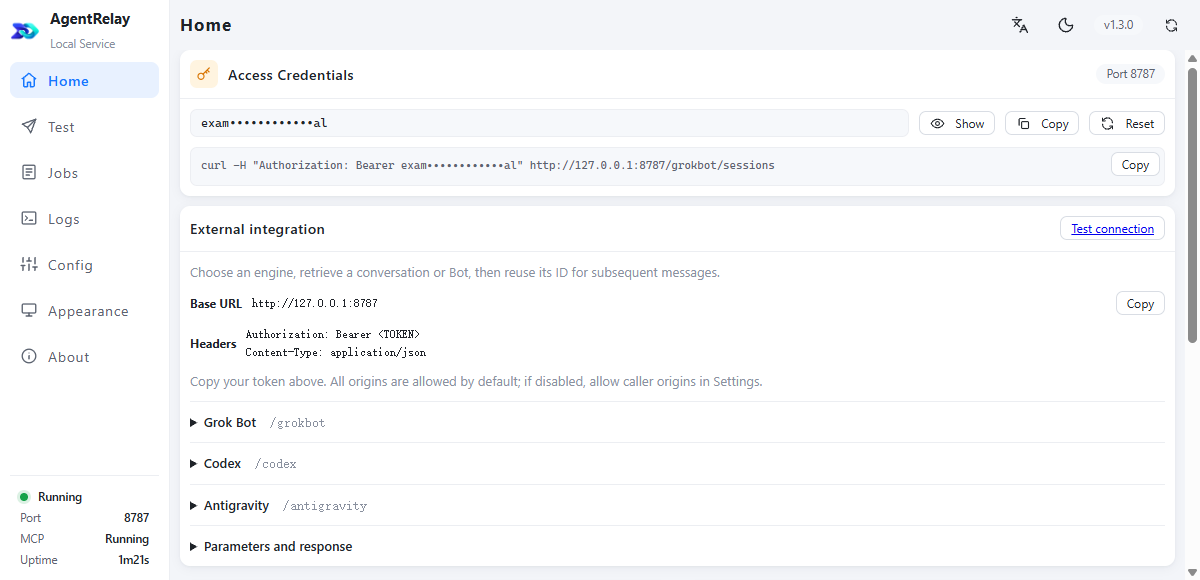
Codex · Grok Bot · Antigravity
Spend less time collecting, copying and switching between tools. Keep your attention on decisions and results.
Use supported clients with your existing subscription or available free allowance, within the provider’s rules. Reduce the need for separate AI setup in every tool.
Start with one useful extension. Connect compatible tools to AI when you need them, and keep results available for review.
The local AI engine
A service on your computer that connects compatible extensions, apps and web workflows to Codex, Grok Bot and Antigravity. Choose a conversation prepared for the task, then keep using it for subsequent requests.
Windows 10/11 x64 · macOS Apple Silicon · Free software
LET YOUR AI CONNECT IT
Give a coding assistant the integration instructions, client and test tools. It can connect your own extension, website or app, bind a conversation and verify the result in your local project.
Keep the complete agentrelay-integration folder and let your AI read it. Codex users can also place it in ~/.codex/skills/.
Start AgentRelay and get the service address from its home screen. Configure the token locally, then choose an engine and existing conversation. Keep the token out of chat.
The AI checks the service, sends a test without external side effects, and verifies continued context, saved bindings after reopening and failure recovery.
Read agentrelay-integration/SKILL.md from the downloaded, extracted folder and connect this project to AgentRelay, following its branch rules. Check the local service first. Let me select an AI engine and an existing conversation, and configure the token securely on this machine, never in source code, chat or logs. Persist the conversation binding and job IDs. Send two harmless test messages to verify context, retained bindings after reopening, and recovery by querying the original job instead of resending. Report actual results and remaining work. Do not commit, publish or operate real social accounts.
Requires a coding assistant that can read local files. The included test tools need Node.js 22+. The skill does not install AgentRelay or include AI accounts or allowances. Grok Bot uses existing bots; Codex and Antigravity allow explicit conversation creation.
AgentRelay sits between your local tools and supported AI clients. Keep project instructions in a familiar conversation, connect your workflow, and choose the engine and account that fit the task.
Use supported clients through one local connection. Continue a prepared conversation and put its available model capabilities to work in compatible extensions and apps.
| What matters | On-device models | Cloud model API | AgentRelay |
|---|---|---|---|
| Where inference runs | Your computer, in the local deployment shown here. | The model provider’s infrastructure. | The service used by your selected AI client. |
| Hardware | CPU/GPU and memory requirements depend on the model. | No local inference hardware for the selected cloud model. | A computer running the bridge and required clients; no model weights needed for the bridge itself. |
| Working context | Managed by your local model application or integration. | Managed by the integration; APIs can also retain conversation state. | Reuse the selected client conversation and the instructions prepared in it. |
| Cost structure | Hardware, electricity and maintenance; licenses depend on the model. | Provider usage charges, with any tool/storage charges. | AgentRelay is free; client subscriptions, free allowances and other usage charges follow their own terms. |
| A good fit for | Self-managed workloads, including offline use where supported. | Server products and programmatic workflows. | Desktop and extension workflows using familiar client conversations. |
| What to plan for | Model fit, hardware capacity and deployment upkeep. | Integration, rate limits and spending controls. | Supported integrations, client availability and each account’s limits. |
Choose an engine and conversation for each workflow, then keep using the instructions you prepared. Available capabilities and allowances follow the selected client and account.
Reference points: Ollama local deployment · Subscription and API billing · AgentRelay supported features
Jev makes dynamic action selection lighter. A purpose-built extension puts known steps in code. Exploring a new task and repeating a business workflow call for different tools.
For adapted, repeated workflows: fixed page actions need no model to choose the next step. Understanding and drafting can still use AI connected through AgentRelay.
| Criterion | General-model agent | Jev browser agent | Extension + AgentRelay |
|---|---|---|---|
| Action selection | General model reasons over state | Jev selects structured options | Adapted code, conditions and checks |
| Suitable work | Open exploration and ad hoc tasks | Dynamic browser-control selection | Known pages and repeated business tasks |
| Model cost for action selection | Depends on model and calls | Jev decisions; text generation charged separately | Can be $0 for fixed actions; business AI and upkeep remain |
| When the page or flow changes | Observe, replan and verify | Extract controls again, decide and verify | Adaptation and checks; changes may need maintenance or a person |
This compares mechanisms and fit, not measured speed or success rates. Structured Jev outputs do not guarantee correct actions; an extension does not automatically support every site.
Mechanism references: Official TypeSafe Jev docs · browser-use/jev-ultrafast
A purpose-built extension can collect pages, extract text, update a queue and save results. Use suitable AI conversations for understanding, decisions and drafts. Put existing plans, free allowances and long-term benefits to work on the parts that need reasoning.
Complex decisions and workflow design
Use a prepared Codex conversation for business rules, difficult judgments and higher-effort tasks, within your actual Pro tier.
Batch organization and first drafts
Assign organization, classification and drafts to a suitable model. Benefits already claimed, such as Jio’s 18-month offer, can be amortized over their actual usable duration.
A persistent business Bot
Keep instructions in a familiar Bot and send it the work you assign. Plan against the Bot dashboard and current subscription rules.
An example allocation you can arrange, not a claim of automatic routing, pooled quotas or unattended scheduling by AgentRelay.
In this example, extension code handles four supported, fixed steps with no AI page-recognition charge. The two understanding and drafting steps still use models. Unadapted flows and page failures may need AI or human intervention.
These are editable assumptions, not a savings guarantee. Enter your actual bills and workload; the combined setup can also cost more.
Estimate from your model, input/output and tool fees. The $10 example is not a provider quote.
Illustrative bills. For long-term benefits, enter the actual amount paid and usable duration. Do not count unverified benefits as available quota. Convert other currencies to USD first.
Confirm coverage against the selected models and actual account allowances; multipliers from different plans cannot be added together. Uncovered calls use the average above.
For example, extra mobile-plan costs needed to keep an offer. A free bridge does not remove these expenses.
Under these assumptions, combined costs less by$410.00
$0 AI page-recognition fee
Full combined cost includes plans you already own. New spending includes only unowned plans, uncovered calls and other new fees. The usage-based alternative assumes these subscriptions are not retained. This estimates cost, not equal model quality, capacity or speed.
Multipliers depend on tiers and promotions; check your account. Jio’s up-to-18-month benefit has age, location and continued qualifying-plan requirements; it is used here as an already-claimed benefit example. Reseller prices, current redemption and reliability are unverified. Enter only confirmed costs and remaining usable months.
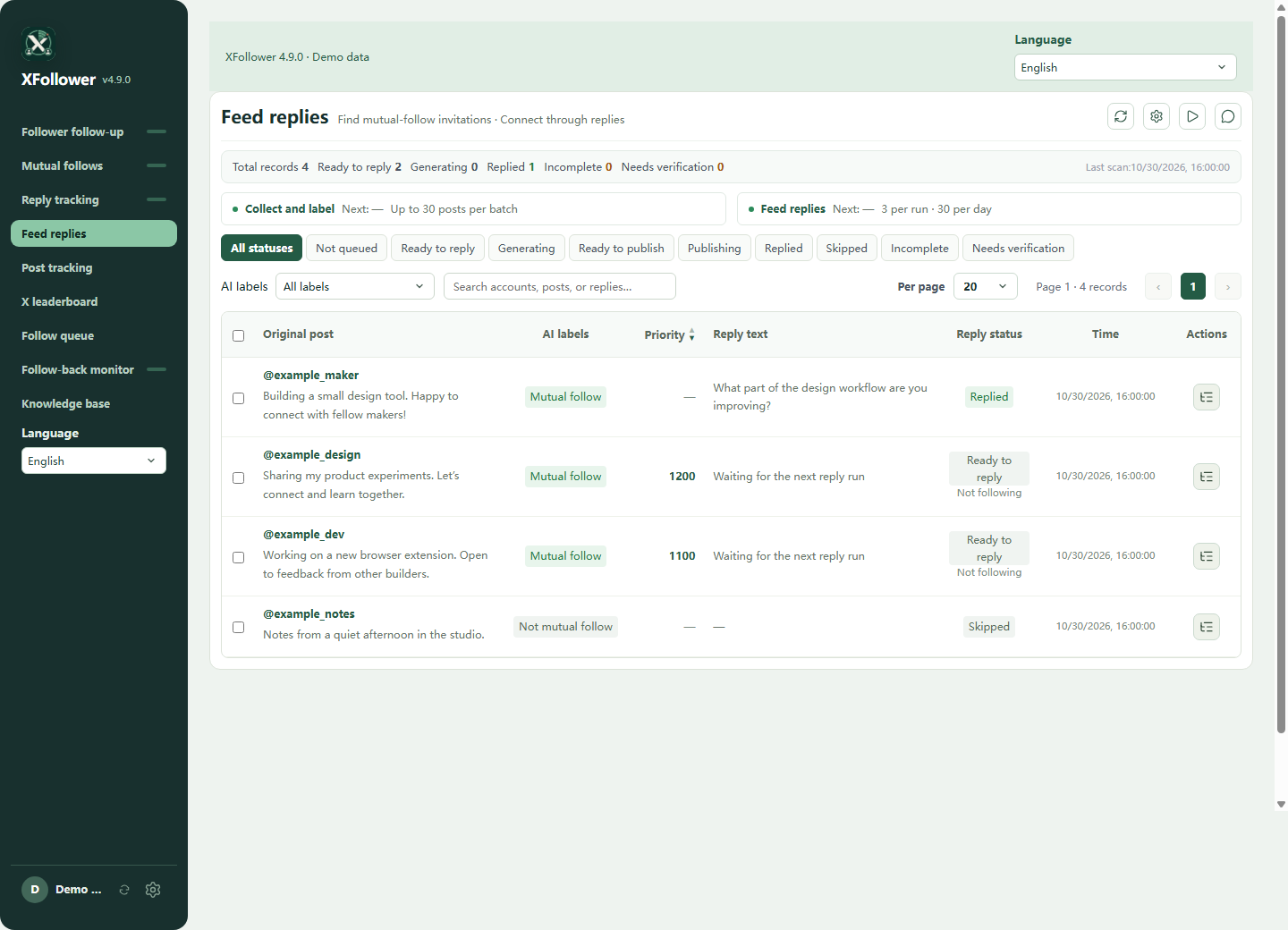
XFollower · X operations extension
If you publish on X (Twitter), you also have followers to keep up with, posts worth revisiting and conversations to follow. XFollower is a Chrome extension for creators and product operators that organizes this recurring work in one workspace: account relationships, follow-up queues, posts, authors and writing knowledge.
Track followers and follow-back candidates, manage follow-up queues, and keep posts and authors in view.
Track posts and authors, organize homepage follow-up and keep drafts and processing records alongside the original content.
Bring content analysis and writing experience together so later tasks can use the guidance you have prepared.
OPERATIONS AT SCALE · A SOLO WORKFLOW
Find relevant discussions, organize posts, understand needs, prepare replies and track follow-up. Let XFollower and AgentRelay share the repetitive work so you can focus on your product, strategy and worthwhile conversations.
Keep posts, authors and pending tasks together, with less searching and manual copying.
Connect the selected conversation to classify posts, assess needs and draft replies using your business context.
Process configured queues and retain original posts, drafts and status for later follow-up.
Set goals and business guidance, review important replies, adjust the approach or pause anytime.
You are promoting a new tool. Define your audience and relevant topics, let XFollower organize posts to follow up, and use AI to assess needs and prepare relevant replies. Review the results together, choose conversations worth joining and interact within platform rules. Original posts, drafts and processing records stay together for your next follow-up.
Connect research, analysis, drafting and recordkeeping into one workflow, giving a solo operator a team-style division of work.
Capacity depends on configuration, AI allowances and platform rules. Automatic posting must be configured and enabled separately.
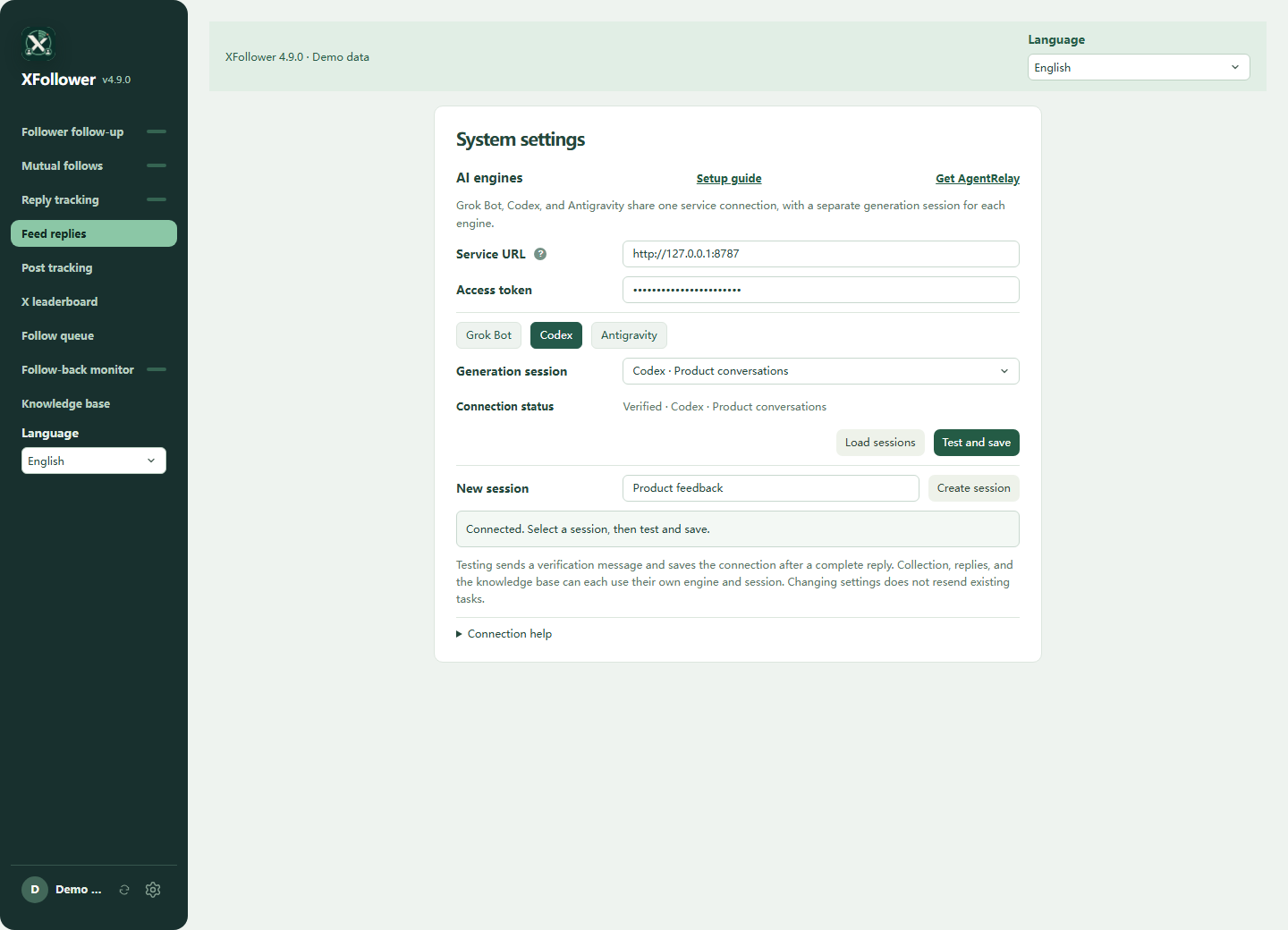
In XFollower, open System settings → AI engines. Enter the AgentRelay address and token once, choose Grok Bot, Codex or Antigravity, read the conversation list, then test and save.
Four free tools for X (Twitter)
Use these focused Chrome extensions on x.com (formerly Twitter). Download media, export articles, manage unwanted content or inspect photo details. Each works independently of AgentRelay.
Twitter video downloader for Chrome: save X videos in 1080p, GIFs and full-size photos in one click, or a whole profile at once. No X Premium needed.
Twitter to PDF: export X Articles and Twitter threads as searchable PDF, Markdown or HTML, which X itself can't do. Grok can also rewrite a thread into one Markdown article.
Twitter spam blocker: X only lets you block one account at a time, so find spam and scam accounts by keyword or regex and block them in bulk after you confirm.
Zoom X photos around the center, drag to inspect details and download available originals. Free and open source.
XZoom adds controls only on x.com and twitter.com. It has no background service or analytics. Opening a post photo requests the image from pbs.twimg.com; it is not a fully offline tool.
These statements describe XZoom. This website has separate analytics and cookie preferences. Website privacy
Start with a free X extension for one task. Choose XFollower for an account workspace, and AgentRelay when a compatible tool needs an AI connection.
| Tool | Use it for |
|---|---|
| AgentRelay | Connect compatible tools to Codex, Grok Bot or Antigravity. |
| XFollower | Organize X account tasks, posts, classification and assisted replies. |
| X Video Downloader | Save videos, GIFs and photos from X. |
| X Article to PDF | Export X articles and threads for reading and reference. |
| X Blocker | Manage unwanted posts and accounts in your X feed. |
| XZoom | Zoom X photos, inspect details and download available originals. |
Product information and download sources: Chrome Web Store · AgentRelay release notes
AGENTRELAY × THREE X EXTENSIONS
Organize what you download, keep knowledge from long reads, and reduce feed noise. Extensions handle repeatable actions; AI connected through AgentRelay interprets the content.
These integration ideas are being explored. The existing extensions work independently; features and release dates will be announced by each product.
X Video DownloaderTurn a folder of downloads into a searchable creative library.
Collect product demo videos for next week’s content planning.
The intended resultGroup them by feature, audience and use case, with a media index and draft ideas for you to review.
X Article to PDFGo beyond saving a PDF to a personal library with traceable sources.
Turn ten industry articles saved this week into a research brief.
The intended resultGet a topic index, a comparison of viewpoints and an action list with original references to check.
X BlockerMove beyond keywords toward context and personal preferences.
Keep AI launches and practical tutorials; reduce hype and repeated ads.
The intended resultReview suggested filters and their reasons before applying them, then adjust your preferences anytime.
Transcription and image understanding depend on the connected model. Content sent for AI processing goes to your selected service, subject to its pricing, limits and data rules.
GoodExts Blog
Product walkthroughs, connection tutorials and practical examples from the GoodExts blog.
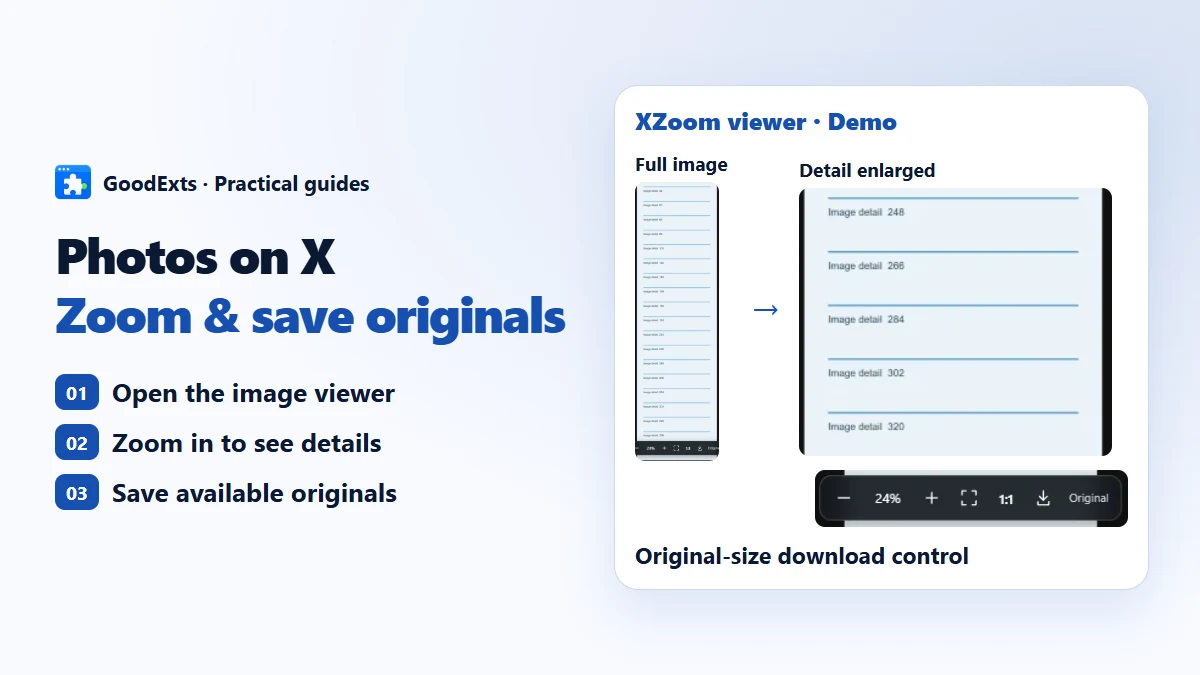
Read small text and tall images on X (Twitter), zoom and pan with XZoom, and download the available original photo. Includes limits and a manual alternative.
Read article →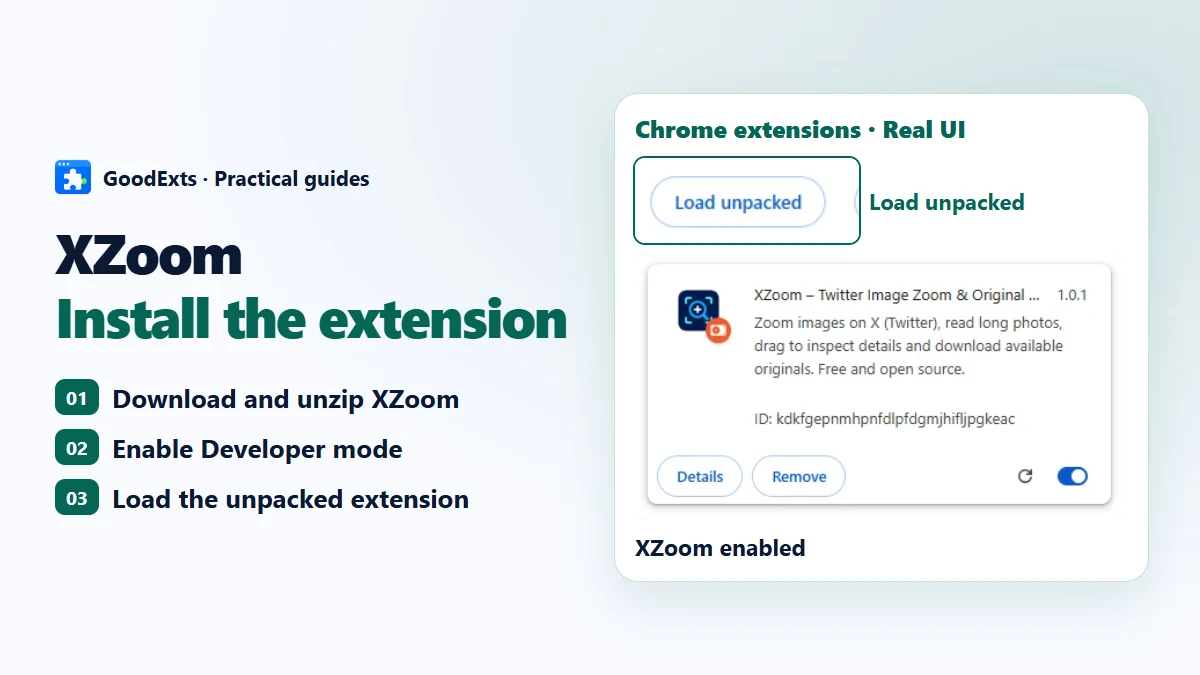
A free, open-source photo viewer enhancement for X. Install XZoom in developer mode, then use centered wheel zoom, drag and original-image downloads.
Read article →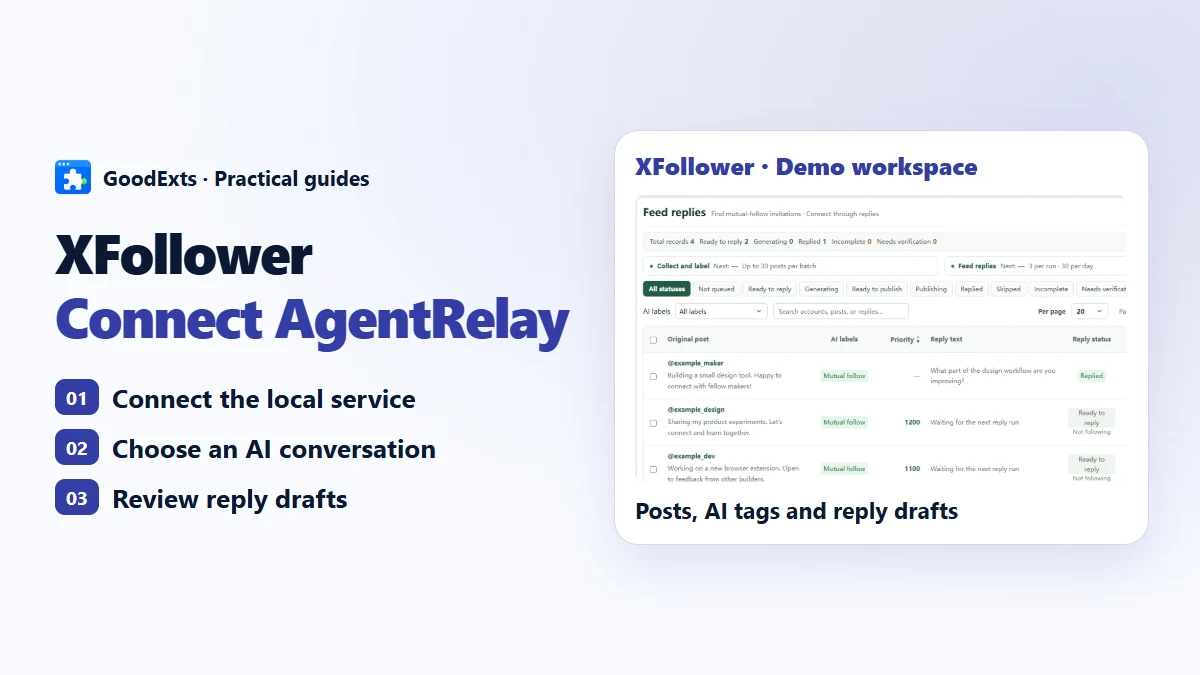
XFollower organizes followers, post follow-up and writing tasks in one workspace. With AgentRelay, it can use Codex, Grok Bot or Antigravity for post classification, comments and knowledge tasks.
Read article →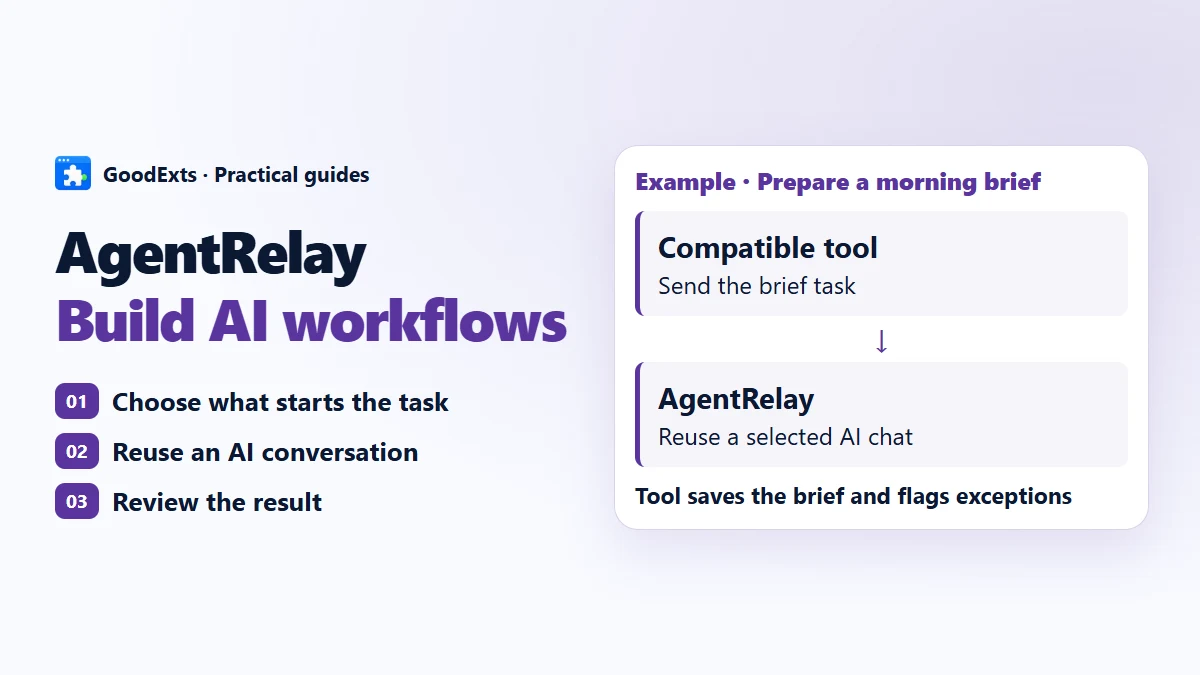
A practical guide to a local AI hub: connect existing conversations, prepare overnight workflows and keep multi-account tasks organized with AgentRelay.
Read article →Where the chosen client and plan support the workflow, you can use its available account allowance. Provider terms, usage limits and supported access methods still apply. AgentRelay itself is free; separate AI service charges may apply.
No. The four focused tools, including XZoom, work independently. XFollower supports AgentRelay for AI tasks. Other products need an integration before they can use the service.
AgentRelay runs locally and gives you a local connection point. Your selected AI provider may process requests in the cloud. Local service does not mean every model runs on your computer.